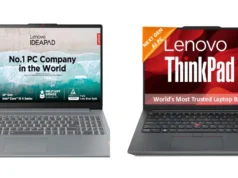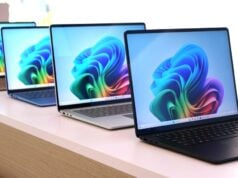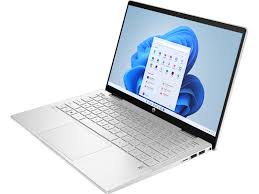
When shopping for a laptop in Nigeria, look beyond the shiny label. Popular global brands include Lenovo, HP, Dell, Apple, Acer, Asus, etc., but each comes with trade-offs. For example, Lenovo (the world’s largest PC maker) and HP generally dominate market share, whereas Apple (MacBook) commands a premium niche. In Nigeria, brand choice often boils down to budget, after‑sales support without paying attention to the details that truly matter.
This often leads to costly mistakes such as buying the wrong specifications, receiving a refurbished device instead of a new one, or discovering issues shortly after purchase. The good news is that most of these problems can be avoided when you know exactly what to verify before making payment.
In this laptop buying checklist, we’ll walk through the most important things every Nigerian buyer should check before purchasing a laptop.
Table of Contents
Complete Laptop Buying Checklist
Processor (CPU)
The CPU is the “brain” of your laptop. More cores and higher clock speeds generally mean smoother multitasking and better performance. Intel’s Core i5/i7/i9 and AMD’s Ryzen 5/7/9 series are common in modern laptops.
As a rule of thumb, an Intel Core i5 (6th generation or newer) or AMD Ryzen 5 is a good baseline for general use; i7/Ryzen 7 or higher is better for gaming and heavy design. Also check the processor generation: a Core i5-11600 (11th gen) is typically faster than an i5-8400 (8th gen) even with the same core count.
You can verify the CPU details on Windows by right-clicking This PC → Properties, or by using System Information. For casual users, a dual-core CPU might suffice, but consider a quad-core (or higher) if you plan to run many apps or play HD games simultaneously (each core can handle part of the work, boosting speed).
Graphics (GPU)
Laptops come with integrated or dedicated graphics. Integrated GPUs (like Intel HD/UHD or AMD Radeon Vega built into the CPU) handle everyday tasks and video streaming fine. But for gaming, 3D design or video editing, a dedicated GPU (NVIDIA GeForce or AMD Radeon card) makes a big difference. Dedicated GPUs have their own video memory (VRAM).
As a guide, 2GB–4GB VRAM can run many modern games at medium settings, but 6GB–8GB is preferable for high-end titles or smooth 3D rendering. If you don’t need gaming, integrated graphics save power and cost.
To verify, check Device Manager → Display Adapters in Windows. Note that gaming laptops draw more power and run hotter, so only opt for one if you really need it.
Memory (RAM)
RAM (Random Access Memory) lets your laptop handle multiple tasks. 8GB RAM is usually enough for web browsing and office work. For heavy multitasking, programming, video editing or gaming, 16GB or more is recommended. Also note the type: DDR4 and DDR5 are current standards (DDR5 is faster but only in the newest machines.
You can’t mix DDR4 with DDR5, so check the laptop’s spec or manual. Some laptops allow upgrading RAM later – check if there’s an extra slot or if the existing modules are replaceable.
Storage (Disk Space)
Modern laptops mostly use Solid State Drives (SSD) instead of old spinning hard drives (HDD). SSDs are far faster (several hundred to thousands of MB/s vs. HDD’s tens of MB/s) and more durable (no moving parts). A 256GB or 512GB SSD is a common minimum; more (1TB+) if you store videos/games.
If you see a laptop with a small SSD, check if there’s room to add a second drive (SSD or even a hybrid SSHD). Also note: some cheaper laptops still ship with only HDD – those are much slower. If possible, prioritize at least a 256GB NVMe SSD for the operating system and apps, plus additional storage as needed.
Screen and Keyboard
The display is one of the most important parts of a laptop, as you’ll interact with it every day. Many buyers prefer screen sizes between 13 and 15 inches because they offer a good balance between portability and productivity. Larger displays can make multitasking, content creation, and media consumption more comfortable, but they also increase the laptop’s size and weight.
Beyond screen size, pay close attention to display quality. While HD (1366×768) resolution may be sufficient for basic tasks, Full HD (1920×1080) or higher provides sharper text, clearer images, and a better overall viewing experience. Also consider whether the screen has a glossy or matte finish, especially if you frequently work outdoors or in brightly lit environments.
Don’t forget to test the keyboard and touchpad before buying. The keyboard should feel comfortable and responsive, especially if you spend long hours typing. Features such as a backlit keyboard can be particularly useful for working at night or during power outages. Finally, ensure the touchpad is smooth and accurate, and check for additional features such as fingerprint readers, which can improve both convenience and security..
Battery and Power
Battery life is crucial in Nigeria’s unreliable grid. Look at the manufacturer’s claimed battery capacity (e.g. “42Wh” or “57Wh”). Generally, recent laptops with efficient processors (like Apple’s M1/M2 or Intel 12th gen and newer) can last 8–12 hours on moderate use, while older/budget laptops often do 4–6 hours.
In-store, try the laptop on battery power only to see real run-time if possible. Also verify you get the official charger; third-party chargers can be cheap but risk damage.
Because power surges and outages are common in Nigeria, plan to protect your purchase: use a quality surge protector or UPS (uninterruptible power supply) to avoid sudden shutdowns or voltage spikes. If heavy offline work is likely, an external laptop power bank (or solar/battery backup) can be a lifesaver.
Ports and Connectivity
Before paying for a laptop, take a moment to inspect its available ports and connectivity features. Modern laptops, especially slim ultrabooks, often have fewer ports than older models, which can affect how you connect accessories and external devices. Make sure the laptop has enough USB ports for your everyday needs, whether that’s connecting a mouse, flash drive, external hard drive, or printer.
You should also check for important connectors such as HDMI or DisplayPort if you plan to use an external monitor or projector. If your work relies on wired internet, verify whether the laptop includes an Ethernet port or if you’ll need an adapter. Other useful features to look for include a headphone jack, SD card reader, and USB-C ports. If possible, test each port before completing your purchase to ensure everything is functioning properly.
For wireless, ensure the laptop supports modern standards: Wi-Fi 5 or 6 (802.11ac/ax) and Bluetooth 4.2 or 5.0 are typical. If you rely on Wi-Fi, you may want a dual-band (2.4+5GHz) adapter for better speeds.
Build Quality and Durability
A laptop’s build quality plays a major role in how well it withstands daily use, especially in Nigeria’s hot, dusty, and humid conditions. When evaluating a laptop, look for a sturdy chassis and strong hinges that can handle frequent opening, closing, and transportation. Laptops with aluminum or magnesium alloy bodies generally offer better durability than those made entirely from plastic, although some premium plastic models are also built to last.
If durability is a top priority, consider business-class laptops such as the Lenovo ThinkPad, Dell Latitude, or HP EliteBook series, which are designed to endure demanding work environments. Before making a purchase, inspect the laptop carefully for dents, cracks, loose hinges, or signs of previous repairs. Also consider the laptop’s weight if you travel frequently. A lightweight yet durable laptop can make commuting and working on the go much more comfortable while providing the reliability needed for long-term use.
Camera and Audio
If you do video calls, check the webcam and microphone quality. Many budget laptops have low-res (480p) cameras, which look grainy. Try a quick video call test if possible. For ambient lighting, a laptop with a good sensor or even an IR camera (for Windows Hello face unlock) is better in low light. Also listen to the built-in speakers briefly – they’re often tinny, so you may need external speakers/headphones.
Final Checks Before Purchase
- Verify Specs: Open the BIOS or OS information to confirm the CPU, RAM and storage match the seller’s claim. On Windows, use System Information or CPU-Z. Make sure no downgraded components were fitted.
- Operating System: Check that the laptop has a legitimate OS license (Windows or Linux). Some cheap shops load unlicensed Windows – this can bring security risks and lack updates.
- Accessories: Ensure the laptop comes with its genuine charger, battery, and any advertised extras (stylus, adapter, etc.). Cheap routers or mice may be marketed as “bundles,” but prioritize core items.
- Serial & Warranty: For new laptops, register the serial with the manufacturer (via their website) to activate warranty. For used/refurbished, know that warranty is often void or transferred; trust the shop’s own warranty if offered.
- Resale Value: Some brands (especially MacBooks) hold value better. If you plan to upgrade in a few years, Macs and premium ThinkPads tend to resell at higher prices. Windows machines (Dell/HP/Lenovo) depreciate faster, but repair parts are easier to find and cheaper.
Red Flags to Avoid When Buying a Laptop
No matter where you choose to buy your laptop, there are certain warning signs that should never be ignored. Being aware of these red flags can help you avoid scams, defective devices, and costly mistakes.
Be cautious of:
- Prices that seem unrealistically low: If a deal looks too good to be true, it probably is. Extremely low prices may indicate refurbished, counterfeit, stolen, or faulty devices.
- Incomplete product information: Reputable sellers provide detailed information about a laptop’s specifications, condition, warranty, and included accessories.
- Unclear specifications: Never purchase a laptop if the seller cannot clearly confirm details such as the processor, RAM, storage capacity, battery condition, or operating system.
- No warranty coverage: A lack of warranty or return policy can leave you with no protection if the laptop develops issues shortly after purchase.
- Poor customer support: Difficulty reaching the seller before a purchase may indicate even bigger support challenges after the sale.
- Unverified sellers: Always buy from trusted retailers, established stores, or sellers with a proven reputation and positive customer reviews.
Taking a few extra minutes to verify these details can save you from frustration and ensure you invest in a reliable laptop that meets your needs.
Buy With Confidence
Finding a reliable place to buy a laptop in Nigeria should not be stressful. Get your business laptop from kara.com.ng, a trusted online store offering genuine products, warranty support, competitive pricing, and reliable after-sales service. Whether you want a brand-new business laptop, premium ultrabook, macBook. workstation, or affordable office laptop, buying from verified stores helps you avoid fake or refurbished devices sold as new.
Kara online store offers a wide range of business laptops from top windows laptop brands like HP, Dell, Lenovo, ASUS, Acer, and Apple macBook, making it a reliable option for professionals, entrepreneurs, and office users. We also provide nationwide delivery, warranty coverage, secure payment options, and competitive prices for both entry-level and premium business laptops
In conclusion
In summary, match the laptop to your use case and local conditions. Most importantly, before making payment, take time to verify the specifications, battery information, storage, warranty coverage, authenticity, and overall suitability of the laptop. Most importantly, buy from trusted retailers that provide accurate product information, genuine devices, and reliable support.. Before paying, run through this checklist and ask the seller questions: knowing exactly what you’re getting will save headaches later.