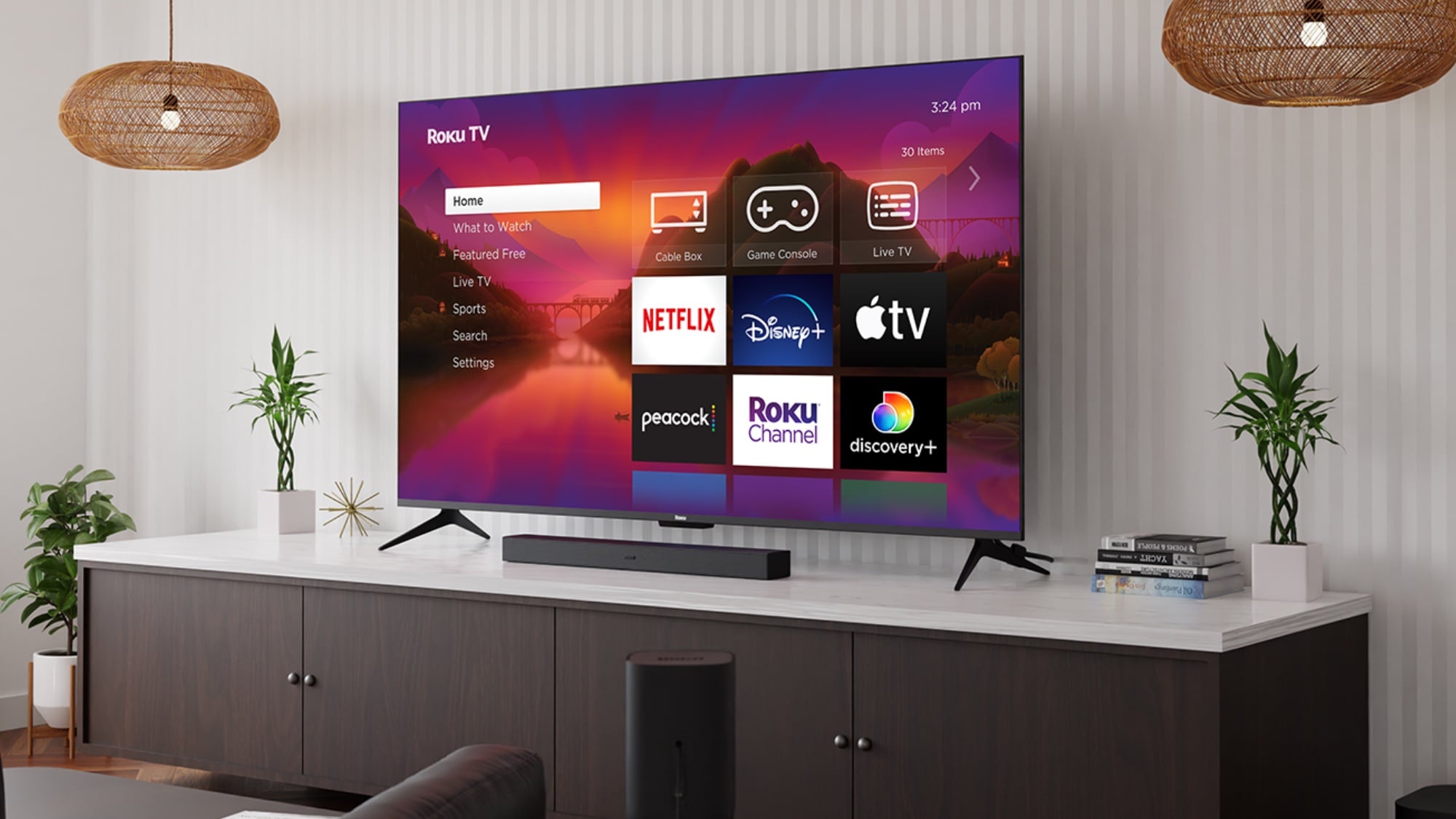
In 2026, the boundary between the laptop and the television has all but vanished. Gone are the days of fumbling with tangled HDMI cables or struggling with proprietary dongles that only work half the time. As wireless protocols like Miracast and AirPlay 2 have matured, the 4K Smart TV has evolved into the ultimate productivity hub.
Whether you are leading a high-stakes boardroom presentation in Lagos, teaching a hybrid classroom, or setting up a high-end home office for remote work, choosing a TV specifically optimized for screen mirroring is crucial. This guide explores the top-tier 4K displays available this year, focusing on their wireless connectivity, latency performance, and overall value for users who prioritize seamless screen sharing.
Table of Contents
The Strategic Benefits of Screen Mirroring on 4K TVs
Before diving into specific models, it is essential to understand why the 4K Smart TV has replaced traditional monitors and projectors in professional settings.
Cable-Free Environments
Wireless mirroring eliminates the “cable mess” that plagues many conference rooms. It reduces trip hazards and maintains a minimalist, modern aesthetic. By removing the physical tether to the wall, speakers are free to move around the room with their laptops, leading to more dynamic and engaging presentations.
Multi-Device Agility
In a “Bring Your Own Device” (BYOD) world, a mirroring-optimized TV lets you switch instantly between a Windows laptop, an iPad, or an Android smartphone. You no longer need a basket of different adapters (USB-C to HDMI, Lightning to HDMI, etc.) to accommodate different team members.
True 4K Resolution and Clarity
Early versions of screen mirroring were notorious for pixelation and lag. In 2026, however, hardware-level integration of Wi-Fi 6E and Wi-Fi 7 has made 4K 60Hz mirroring a reality. This ensures that detailed spreadsheets, CAD drawings, and high-resolution marketing videos look just as sharp on the big screen as they do on the laptop.
Top 5 Picks for Laptop Mirroring in 2026
1. Samsung Neo QLED QN90F (2026 Series) – Editor’s Choice
Samsung remains the gold standard for the hybrid workspace. The QN90F features the “Samsung Workspace” hub, which acts as a dedicated environment for remote desktop and screen mirroring.
- Connectivity: Supports both AirPlay 2 and native Miracast.
- Unique Feature: “Tap View” allows you to mirror your device simply by tapping it against the TV’s bezel.
- Performance: Features the lowest input lag in the industry, making it ideal for real-time collaboration where mouse movements must be instantaneous.
2. LG C6 OLED Professional Edition – Best for Creative Professionals
For designers and video editors mirroring MacBooks, the color accuracy of an OLED is unmatched. The C6 series uses LG’s latest webOS 26, which prioritizes a “Home Office” dashboard for quick pairing.
- Connectivity: Integrated Apple HomeKit and AirPlay 2.
- Unique Feature: Multi-View allows you to mirror your laptop on one half of the screen while keeping a video conference feed open on the other.
- Best For: Graphic designers and editors who require 100% color gamut accuracy.
3. TCL C875 Mini-LED – Best Budget Performance
TCL has disrupted the market by offering high-end mirroring features at a fraction of the cost. The C875 includes a dedicated “MagiConnect” chip that stabilizes wireless signals.
- Connectivity: Google Cast (Chromecast built-in) and Miracast.
- Unique Feature: Excellent signal penetration, making it the best choice for offices with “noisy” wireless environments or thick walls.
- Best For: Small businesses and startup huddle rooms.
4. Sony BRAVIA XR-A80P – The Enterprise Workhorse
Sony’s integration with Google TV makes it a natural fit for offices using Google Workspace and Android-based ecosystems.
- Connectivity: Native Google Cast and AirPlay support.
- Unique Feature: “Mirroring Smoothing” algorithm, which uses AI to predict and fill in dropped frames during wireless streaming, ensuring a fluid visual experience even if the Wi-Fi fluctuates.
- Best For: Educational institutions and large corporate networks.
5. Hisense U8N Series – Best Value for High-Brightness Rooms
The Hisense U8N is a powerhouse for bright, sunlit offices in Nigeria. With peak brightness hitting 3000 nits, mirroring is clear even with the blinds wide open.
- Connectivity: Anyview Cast and integrated AirPlay.
- Unique Feature: Robust build quality and high resistance to heat, making it perfect for non-air-conditioned spaces.
- Best For: General office use and retail displays.
TV vs. Projector: The 2026 Cost and Value Analysis
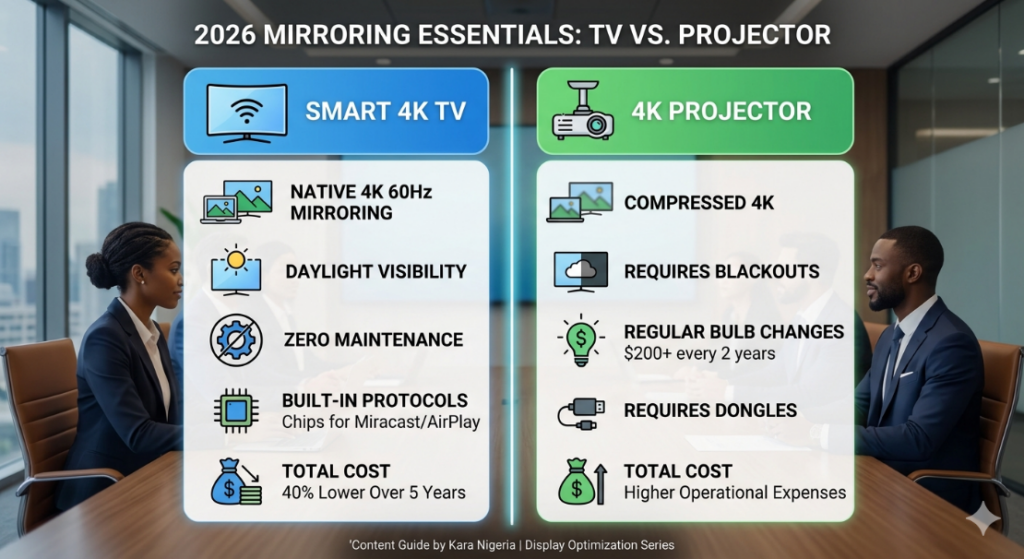
A common dilemma for office managers is whether to stick with a traditional projector or upgrade to a 4K Smart TV. In 2026, the data shows a clear winner.
The Projector Alternative
A high-quality 4K projector for a boardroom typically costs between $1,500 and $3,000. However, the “hidden” costs are substantial:
- Bulbs: Most professional projectors require bulb replacements every 2,000 hours, costing $200-$400 per unit.
- Environment: Projectors require controlled lighting (blackout curtains) to be usable during the day.
- Connectivity: Most projectors are “dumb” and require an external dongle like an Apple TV or Microsoft Wireless Adapter ($50-$150) to enable mirroring.
The Smart TV Advantage
A 75-inch 4K Smart TV now retails for between $800 and $1,500.
- Zero Maintenance: No bulbs to change and no filters to clean.
- Visibility: TVs work perfectly in full daylight, meaning meetings don’t have to happen in the dark.
- Integrated Tech: Mirroring protocols are built into the TV’s motherboard, providing a more stable and faster connection than external dongles.
Conclusion on Cost: Over a 5-year lifecycle, a Smart TV is approximately 40% cheaper than a projector setup when factoring in maintenance, power consumption, and accessories.
Essential Tips for Seamless Mirroring
To ensure your 2026 4K TV performs at its peak, follow these optimization tips:
- Use the 5GHz or 6GHz Band: Always connect your TV and laptop to the higher Wi-Fi bands. The 2.4GHz band is crowded with signals from microwave ovens and older phones, which can cause “stuttering” during presentations.
- Enable “Game Mode” or “PC Mode”: TVs often apply post-processing to images, which adds “input lag.” Switching to Game/PC mode bypasses this, making your mouse movements feel 1:1.
- Wired TV, Wireless Laptop: For the best results, connect your TV to the internet via an Ethernet cable, while leaving your laptop on Wi-Fi. This halves the wireless traffic the router has to manage.
- Update Firmware: Manufacturers like Samsung and LG frequently release updates that specifically improve AirPlay and Miracast stability.
Update: For a more detailed comparison on laptops for your business settings, read our latest deep dive on laptops : Dell XPS VS Latitude: Which is Better for Your Office Meeting?
Frequently Asked Questions on TV Mirroring (FAQ)
Q: Can I mirror my MacBook to a Samsung or Sony TV?
A: Yes. Since 2024, almost all major TV manufacturers (Samsung, LG, Sony, Vizio, TCL) have included native AirPlay 2 support. You simply select “Screen Mirroring” from your Mac’s Control Center.
Q: Do I need an internet connection to mirror my screen?
A: Not necessarily. If you are using Miracast (Windows/Android), the devices connect directly to each other via Wi-Fi Direct. However, AirPlay and Chromecast generally require both devices to be on the same local Wi-Fi network.
Q: Why does my screen mirroring look blurry on a 4K TV?
A: This is usually due to “Dynamic Scaling.” If your Wi-Fi signal is weak, the TV reduces the resolution to prevent the video from freezing. Moving the router closer to the TV or upgrading to a Wi-Fi 6 router usually fixes this.
Q: Is it possible to mirror two laptops at once?
A: Yes, on higher-end models like the Samsung Neo QLED and LG OLED, the “Multi-View” feature allows for “Split Screen Mirroring,” where two different presenters can show their screens side-by-side.
Final Verdict on 4K Smart TV
Selecting the best 4K Smart TV for laptop screen mirroring in 2026 is about more than just resolution—it is about the ecosystem.
- For the all-around best experience, the Samsung QN90F is the clear winner for its dedicated workspace features.
- For creative agencies, the LG C6 OLED is the gold standard for color.
- For budget-conscious businesses, the TCL C875 offers the best bang for your buck.
By moving away from projectors and cables, you are investing in a more collaborative, efficient, and cost-effective environment.
Ready to upgrade your office or home setup? Explore the full range of 2026 4K Smart TVs and professional display adapters at Kara Nigeria.