Wireless charging on the iPhone has transitioned from a niche “tech flex” to a cornerstone of the Apple ecosystem. By April 2026, with the release of the iPhone 17 series, the debate has shifted: Is wireless charging a luxury accessory or a mandatory part of the modern mobile experience?
Here is a comprehensive guide by Kara in Nigeria to the evolution, mechanics, and reality of charging your iPhone without the wires.
Table of Contents
The Origin: From iPhone 8 to the Qi Standard Wireless Charging
Apple officially entered the wireless arena in September 2017. The iPhone 8, 8 Plus, and iPhone X were the first models to feature glass backs specifically to support the Qi (pronounced “chee”) wireless charging standard.
Initially, these models were capped at a modest 5W, later updated via software to 7.5W. At this stage, wireless charging was purely a luxury—it was significantly slower than the 18W wired “Fast Charging” available at the time and required perfect alignment on a charging pad to work.
The MagSafe Revolution from iPhone 12 – 15
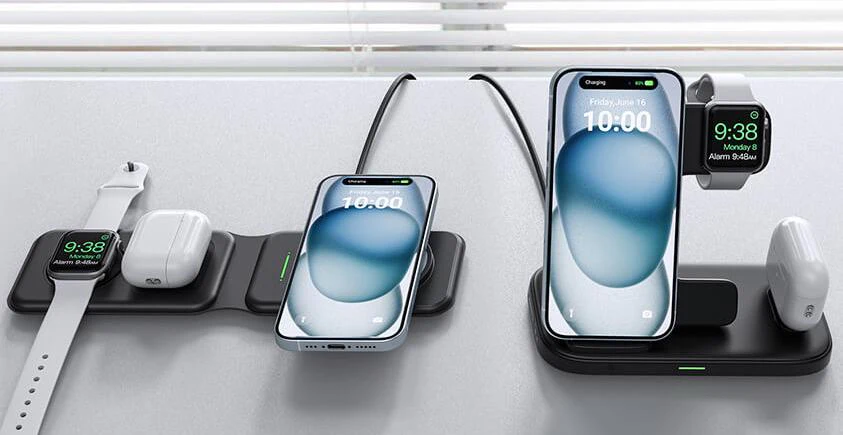
In 2020, Apple solved the “alignment problem” with MagSafe. By placing a ring of magnets around the internal charging coil of the iPhone 12, Apple ensured that the charger would “snap” into the perfect position every time.
MagSafe doubled the wireless speed to 15W (for certified accessories). This era turned wireless charging from a “nightstand-only” activity into a functional desktop and car solution.
The Evolution: iPhone 16 and the iPhone 17 Series
The iPhone 16 raised the bar to 25W, but the iPhone 17 series (2026) has solidified wireless charging as a near-equal to wired methods.
- iPhone 17 & 17 Pro: Support the new Qi2 25W standard. When paired with a 30W+ adapter, these models can reach 0–50% charge in approximately 30 minutes.
- Wired vs. Wireless: While the iPhone 17 Pro supports 40W wired charging, the 25W wireless speed is now fast enough that most users no longer feel the “speed penalty” of going cordless.
Impact of Cases on Power and Temperature
Your choice of case is the biggest “silent killer” of wireless charging efficiency.
- MagSafe Compliant Cases: These include an internal magnet ring to pass the magnetic field through the case material. Without this, a thick case can increase the distance between the coils, leading to power drop-off or total failure.
- Heat & Efficiency: Wireless charging naturally generates more heat than wired charging because energy is lost as it jumps through the air. A thick, non-ventilated case traps heat, causing the iPhone to “thermal throttle” and reduce charging speed to protect the battery.
- The 3mm Rule: For optimal 25W speeds on the iPhone 17, your case should be under 3mm thick.
Does Wireless Charging Damage Battery Life?
This is the most common concern among iPhone users. The short answer is No, but there is a caveat: Heat.
- Cycles vs. Heat: Batteries degrade based on “cycles” (0% to 100%) and high temperatures. Wireless charging doesn’t use more “cycles,” but it does run roughly 5°C to 8°C hotter than wired charging.
- Apple’s Safeguards: Modern iPhones use AI to manage charging. If the phone gets too hot on a MagSafe pad, iOS will pause charging at 80% until it cools down.
- Recommendation: For the best long-term battery health, avoid using “heavy” apps (like gaming) while the phone is on a wireless charger.
Wireless vs. Wired iPhone Charging: The Pros and Cons
| Feature | Wired (40W) | Wireless (25W / Qi2) |
|---|---|---|
| Speed (0-50%) | ~20 Minutes | ~30 Minutes |
| Heat | Low to Moderate | High |
| Port Safety | Risk of dust/wear | Zero wear on port |
| Convenience | Restricted by cable | Grab-and-go |
| Data Transfer | Yes (High speed) | No |
Luxury or Necessity? The 2026 Verdict
In 2026, wireless charging is a Necessity for two reasons:
- Ecosystem Integration: From MagSafe car mounts to “StandBy” desk docks, the iPhone is now designed to be a “glanceable” device while it charges.
Hardware Longevity: With the transition to USB-C, the physical charging port is a common failure point. Using a Qi2 or MagSafe charger for daily top-ups preserves your physical port for the times you truly need it (like ultra-fast 40W emergency boosts).