Home Blog Page 5

iPhone 7 vs iPhone 8: Which Has better iPhone battery life in 2026?”
0
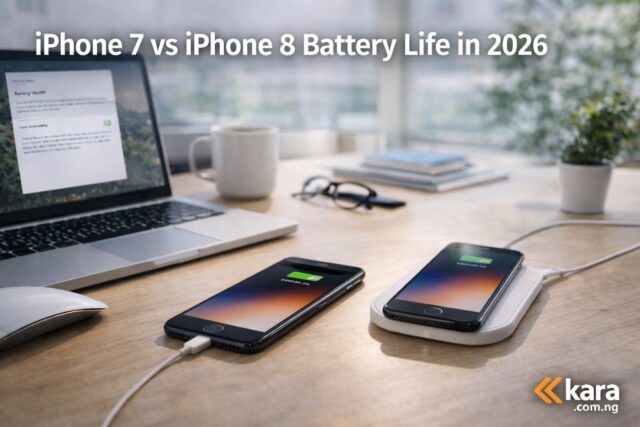
iPhone 7 and iPhone 8 on a desk showing battery charging comparison in a modern workspace for a 2026 battery life comparison guide
A side by side comparison of iPhone 7 and iPhone 8 placed on a desk while charging, illustrating battery life performance in 2026.

iPhone battery life comparison is a common debate among Nigerian buyers looking for an affordable used iPhone especially iPhone 7 and iphone 8 , both devices still appear in many listings across Nigeria, but battery performance is now one of the biggest deciding factors. This guide explains which phone lasts longer in real life use, what to expect in 2026, and which option makes more sense for buyers in Nigeria.

iPhone 7 vs iPhone 8: Which Is Better for Battery Life?

Older iPhones still have a strong presence in Nigeria’s smartphone market. Many people prefer them because they are cheaper than newer models but still offer the Apple experience.

Two models that buyers frequently compare are the iPhone 7 and the iPhone 8.

At first glance they look almost identical. However, battery performance, chip efficiency, and long-term usability can be very different today.

If your main concern is battery life, it is important to understand how both phones perform after years of use. Many Nigerians searching for iPhone 7 vs iPhone 8 battery performance comparison in Nigeria want to know which device will actually last through a typical day.

This guide breaks it down clearly.

iPhone 7 vs iPhone 8 battery life in 2026 overview

When comparing iPhone 7 vs iPhone 8 battery life in 2026, both phones come with relatively small batteries by modern standards.

Here is a quick overview.

FeatureiPhone 7iPhone 8
Battery capacity1960 mAh1821 mAh
ProcessorA10 FusionA11 Bionic
Wireless chargingNoYes
Power efficiencyGoodBetter

Although the iPhone 7 has a slightly larger battery, the iPhone 8 uses a more efficient processor.

This means the phone often manages power better during daily tasks.

Many buyers searching for which iPhone lasts longer between iPhone 7 and iPhone 8 discover that battery life depends more on efficiency than capacity.

Real world iPhone 7 vs iPhone 8 battery life

Real usage tells a clearer story than specifications.

For Nigerian users who spend time on WhatsApp, Instagram, YouTube, and browsing, battery performance matters a lot.

In daily usage tests, the iPhone 8 usually lasts slightly longer.

This happens because the A11 chip manages background tasks more efficiently.

Users researching real world iPhone 7 vs iPhone 8 battery test often notice the difference when streaming videos or using multiple apps.

Typical daily usage results:

• iPhone 7: around 4 to 5 hours screen time
• iPhone 8: around 5 to 6 hours screen time

This difference may seem small but it becomes noticeable during long days without charging.

iPhone 7 vs iPhone 8 battery health after many years

Another major factor is battery degradation.

Most iPhone 7 and iPhone 8 devices available in Nigeria today are used devices.

That means the battery health may already be reduced.

Buyers researching iPhone 7 vs iPhone 8 battery health after years of use should always check battery health before buying.

If battery health is below 80 percent, you will likely need a replacement soon.

Battery replacement costs are relatively affordable in Nigeria, but it still affects the overall value of the phone.

Charging speed and convenience comparison

Charging convenience also matters for many users.

One major advantage of the iPhone 8 is wireless charging.

When people search for does iPhone 8 battery last longer than iPhone 7, they often discover that the charging experience also differs.

Key differences include:

• iPhone 7 supports standard cable charging
• iPhone 8 supports wireless charging
• iPhone 8 supports faster charging speeds

This gives the iPhone 8 more flexibility, especially for users who charge frequently during the day.

Daily usage scenarios for Nigerian users

Understanding real life scenarios can help buyers make better decisions.

For example:

A student using WhatsApp, TikTok, and YouTube throughout the day will notice that the iPhone 8 lasts longer.

A business owner who mainly uses calls and messaging might not see a major difference.

Many Nigerians researching best older iPhone for battery life in Nigeria 2026 often find that the iPhone 8 performs better in multitasking situations.

However, both devices may still require battery replacement if heavily used.

Is it still worth buying iPhone 7 or iPhone 8 in 2026

If iPhone battery life is your main concern, the iPhone 8 is usually the better choice.

The improved processor and power efficiency make it slightly more reliable for everyday use.

Buyers searching for should you buy iPhone 7 or iPhone 8 in Nigeria today often choose the iPhone 8 for this reason.

If you are considering buying either device, you can explore available options here:

https://kara.com.ng/apple-iphone-7

https://kara.com.ng/apple-iphone-8

These pages show current availability and product options.

iPhone battery life: Expert recommendation summary

Expert tip before buying a used iPhone

Before buying any used iPhone, always check the following.

• Battery health percentage
• iCloud lock status
• Storage capacity
• Physical condition
• Charging port condition

Buyers searching for what to check before buying used iPhone in Nigeria often skip these steps and later experience problems.

Taking a few minutes to inspect the device can save money and frustration.

iPhone battery life: Expert recommendation summary

Between the two devices, the iPhone 8 is the better choice for battery performance in 2026.

Reasons include:

• More efficient processor
• Slightly longer real-world battery life
• Faster charging support
• Wireless charging convenience

The iPhone 7 can still work for very light use, but the iPhone 8 offers better longevity.

iPhone battery life: Final recommendation for buyers

If your budget allows, the iPhone 8 is the safer option in 2026.

It delivers better battery efficiency and slightly stronger performance.

For Nigerian buyers looking for reliable older iPhones, the iPhone 8 remains the more practical choice.

You can browse available devices here:

https://kara.com.ng/product-category/mobile-phones/apple-iphone

Choosing a phone with better battery efficiency will give you a smoother experience and reduce the need for frequent charging.
iPhone X (10) Review: Is It Worth It as a Secondary Phone?

0
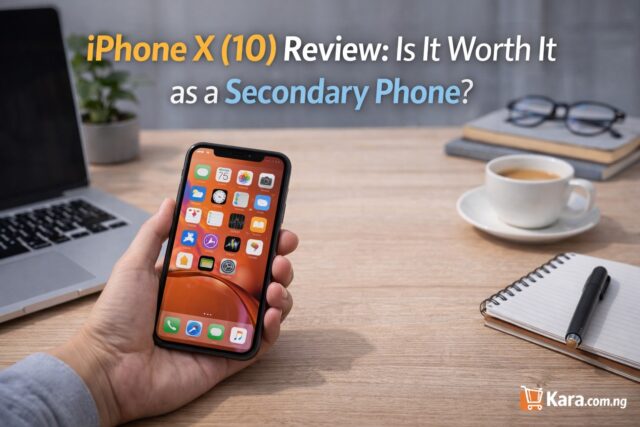
Person holding an iPhone X smartphone on a modern desk workspace with laptop and coffee cup while reviewing the phone as a secondary device.
A hands on look at the iPhone X showing its display and design in a modern workspace while reviewing its usefulness as a secondary phone.

For Nigerian users looking for a reliable backup device a popular question keep coming up is iPhone X (10) worth it as a secondary phone ? Discover its performance, battery life, camera quality, and whether it still makes sense to buy today.

Explore more iPhones here:

https://kara.com.ng/mobile-phones

Why Many Nigerians Consider the iPhone X

Many smartphone users in Nigeria now keep two phones. One device handles work, business calls, and banking apps while the second phone manages personal use, social media, or travel.

That is where the iPhone X still attracts attention. Even though it is not the newest Apple device, it still delivers strong performance for everyday tasks.

For people researching is iPhone X still worth buying as a second phone in Nigeria, the answer depends on how you plan to use it.

If you want a reliable device for WhatsApp, email, and normal internet browsing, the iPhone X can still perform well.

Explore more iPhones here:

https://kara.com.ng/mobile-phones

Performance in This iPhone X (10)

The iPhone X runs on Apple’s A11 Bionic processor. While newer iPhones are faster, this chip still handles many tasks smoothly.

In real world use, the phone performs well when:

• Browsing social media
• Responding to emails
• Using navigation apps
• Streaming videos

People often search how fast is iPhone X performance for everyday tasks today, and the truth is that it still feels responsive for basic use.

However, heavy gaming or advanced video editing may push the phone harder than newer models.

For a secondary phone, this level of performance is usually more than enough.

Display Experience of iPhone X

The iPhone X introduced the OLED display design that later became standard in newer iPhones.

The 5.8-inch screen delivers sharp images, strong colour contrast, and a modern full screen look.

Users looking for display quality comparison between iPhone X and older iPhones will immediately notice the difference compared to devices like the iPhone 7 or iPhone 8.

Watching YouTube, browsing Instagram, or reading news feels comfortable because of the larger screen.

Even today, the display quality remains impressive.

Battery Performance of iPhone X

Battery life is one of the most important factors when choosing a secondary device.

The iPhone X provides moderate battery performance. It can comfortably last a full day with light to moderate usage.

Users searching battery life of iPhone X for daily use in Nigeria should know that performance depends heavily on battery health.

If the battery has been replaced recently, the phone will perform much better.

For backup phone usage like calls, messaging, and occasional browsing, the battery is generally reliable.

Camera Quality of iPhone X

Even though the iPhone X is older, the camera still produces good photos.

The dual camera system allows portrait photos and clear video recording.

For users researching camera performance of iPhone X compared to newer iPhones, it may not match the newest models but still performs well for:

• Social media photos
• Short videos
• Video calls
• Everyday photography

For a secondary phone, the camera quality remains very acceptable.

Practical Use Cases of iPhone X

Many Nigerians buy a second phone for specific purposes.

The iPhone X works well for:

Business communication
Backup phone while travelling
Separate device for work apps
Content viewing device

If you are researching best iPhone to use as a secondary phone for business, the iPhone X remains a reasonable option.

Its Face ID security also adds extra protection when using banking or payment apps.

iPhone X Compared with Other Budget iPhones

Phone ModelScreenProcessorBest Use Case
iPhone 8Smaller screenA11 BionicBasic backup phone
iPhone XOLED screenA11 BionicBalanced secondary phone
iPhone XRLarger screenA12 BionicLonger battery life

People searching difference between iPhone X and iPhone XR for secondary phone use may prefer the XR for battery life, while the X offers a sharper display.

Where to Buy iPhone X in Nigeria

If you are considering this device, it is important to buy from a reliable store to avoid refurbished phones with hidden problems.

You can check available devices here:

https://kara.com.ng/apple-iphone-x

Explore more iPhones here:

https://kara.com.ng/mobile-phones

Buying from a trusted store helps ensure product authenticity and warranty support.

When iPhone X May Not Be the Best Option

The iPhone X may not be ideal if you:

• Need long battery life for heavy daily use
• Want the newest iOS features
• Play demanding mobile games regularly

Users searching should I buy iPhone X in 2026 or choose a newer model may prefer the iPhone XR or later devices.

Expert Recommendation

After reviewing performance, display quality, battery life, and camera capability, the iPhone X still makes sense for certain users.

It works well as a secondary phone because it offers:

• Strong performance for daily tasks
• Premium display quality
• Secure Face ID unlocking
• Reliable camera performance

For Nigerian users who want a dependable second device without spending too much, the iPhone X can still serve that purpose.

You can explore available devices here:

https://kara.com.ng/apple-iphone-x

Choosing the right phone depends on how you plan to use it and how long you expect it to last.

Facts about iPhone upgrade from iPhone 7 to iPhone XR?

0
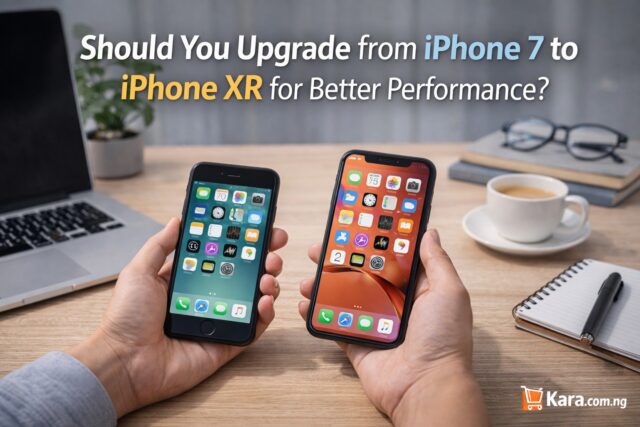
Comparison between iPhone 7 and iPhone XR held in hands on a modern desk workspace showing upgrade decision for better smartphone performance.
A side by side comparison of the iPhone 7 and iPhone XR highlighting the differences in design, display size, and overall performance for users considering an upgrade.

Solving the Paradox

Should i venture into iPhone upgrade from iPhone 7 to iPhone XR? This is a common question for many Nigerian iPhone users looking for better performance without paying the price of the newest models. This guide compares design, performance, battery life, and camera quality to help you decide if upgrading from the iPhone 7 to the iPhone XR is the right move.

You can check available models here:

https://kara.com.ng/apple-iphone-xr

iPhone upgrade : Why Many Nigerians Are Considering the iPhone 7 to iPhone XR Upgrade

Many Nigerians still use the iPhone 7 because it was one of Apple’s most durable phones. It handles basic tasks like WhatsApp, calls, banking apps, and light browsing without serious problems. However, the phone is now several generations old and struggles with modern apps and heavy multitasking.

That is why many users are asking should you upgrade from iPhone 7 to iPhone XR in Nigeria today. The XR offers a larger screen, stronger processor, and better battery performance, which makes everyday use smoother.

If your current device slows down often or drains battery quickly, upgrading may significantly improve your experience.

iPhone upgrade : upgrading for better Performance

One of the biggest differences between both phones is processing power. The iPhone 7 runs on the A10 Fusion chip while the iPhone XR runs on the newer A12 Bionic processor.

This difference matters in real use. The XR handles gaming, video editing, and multiple apps much faster.

For people searching iPhone 7 vs iPhone XR performance comparison for everyday use, the XR clearly delivers stronger speed and stability.

You will notice improvements when:

• Switching between apps
• Playing games
• Using heavy social media apps
• Editing photos or videos

For users who rely on their phones for work or content creation, the XR provides a smoother experience.

You can check available models here:

https://kara.com.ng/apple-iphone-xr

iPhone upgrade: Upgrading for Better Display

The screen difference is very noticeable.

The iPhone 7 has a 4.7-inch LCD display while the XR has a larger 6.1 inch Liquid Retina screen.

This makes a big difference when watching videos, reading articles, or browsing social media.

People looking for difference between iPhone 7 and iPhone XR display quality will immediately notice:

• Bigger viewing area
• Edge to edge screen design
• More comfortable video viewing

The XR also removes the physical home button and introduces Face ID, which many users prefer after getting used to it.

iPhone upgrade: Upgrading for for Battery Life

Battery performance is one of the most important reasons people upgrade their phones.

The iPhone XR has significantly better battery life compared to the iPhone 7.

For users researching battery life comparison between iPhone 7 and iPhone XR, the XR can last much longer during daily use.

Typical daily activities like:

• Streaming videos
• Using navigation apps
• Playing games
• Using social media

consume less battery on the XR thanks to its newer processor and larger battery capacity.

For Nigerian users who spend long hours outside without constant charging access, this upgrade can make a noticeable difference.

iPhone upgrade: Upgrading for better Camera Quality

The camera on both phones is good, but the XR includes improvements that help with photography.

It supports better image processing and portrait photography.

Users searching camera quality difference between iPhone 7 and iPhone XR photos will see improvements in:

• Low light photography
• Portrait photos
• Colour accuracy
• Video stability

While the iPhone 7 still takes decent photos, the XR produces clearer images that look better on social media.

iPhone upgrade: Upgrading for Long Term Use

Another important factor is software support.

Older phones eventually stop receiving iOS updates. When that happens, some apps may stop working properly.

The XR will continue receiving updates for longer than the iPhone 7.

This makes it a smarter choice for users searching how long iPhone XR will receive software updates compared to iPhone 7.

If you want a device that will remain useful for several more years, the XR offers better longevity.

Quick Comparison: iPhone 7 vs iPhone XR

FeatureiPhone 7iPhone XR
Screen Size4.7 inch6.1 inch
ProcessorA10 FusionA12 Bionic
Face IDNoYes
Battery LifeModerateMuch stronger
Camera ProcessingStandardImproved image processing

This table highlights why many buyers search is it worth upgrading from iPhone 7 to iPhone XR today.

Where to Buy iPhone XR in Nigeria

If you decide to upgrade, it is important to buy from a trusted retailer to avoid refurbished devices with hidden issues.

You can check available models here:

https://kara.com.ng/apple-iphone-xr

You may also want to explore other options here:

https://kara.com.ng/mobile-phones

Buying from a reliable store ensures warranty coverage and authentic devices.

When You Should Keep the iPhone 7 Instead

Upgrading is not always necessary.

You may continue using your iPhone 7 if:

• Your battery is still strong
• You mainly use basic apps
• Storage space is still enough
• You do not need a larger screen

Many users searching should I replace iPhone 7 battery instead of upgrading phone find that a battery replacement extends usability.

Expert Recommendation

For most users, upgrading from the iPhone 7 to the iPhone XR is a sensible move.

You gain:

• Better battery life
• Faster performance
• Larger screen
• Improved camera
• Longer software support

If your iPhone 7 still works well, you may continue using it for basic tasks. However, if performance issues are affecting your daily use, the XR provides a noticeable upgrade without the cost of newer flagship models.

Explore available devices here:

https://kara.com.ng/apple-iphone-xr

Making the right upgrade decision depends on how you use your phone, your budget, and how long you plan to keep your next device.

How to Avoid iPhone Battery Replacement Errors

0
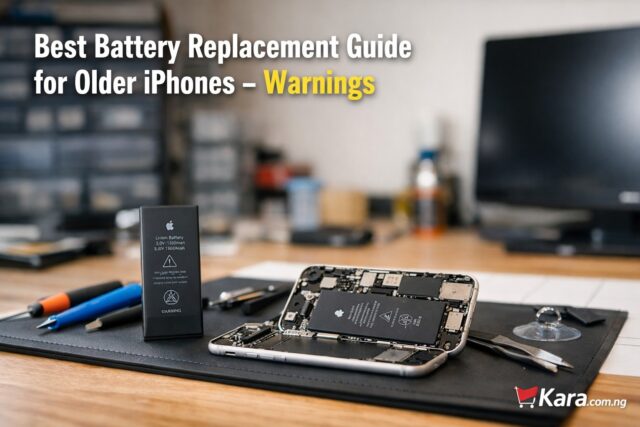
Technician workspace showing an opened older iPhone with battery replacement tools and a new battery beside it for an iPhone battery replacement guide.
A realistic repair desk showing an older iPhone opened for battery replacement alongside tools and a new battery, highlighting key warnings when replacing iPhone batteries.

Learn how to avoid iPhone battery replacement errors by choosing the right battery, using trusted technicians, and following proper repair checks to keep your iPhone working safely and efficiently. Older iPhones are still widely used across Nigeria because they remain reliable, affordable, and compatible with most everyday apps. However, battery health naturally drops after years of use. Many users eventually face the question of whether to replace the battery or upgrade the phone entirely. This guide explains the important warnings, practical considerations, and smart buying decisions to make when replacing a battery in older iPhones in Nigeria.

Shop iPhone Batteries and Accessories

When an Older iPhone Actually Needs a Battery Replacement

Battery wear is normal for smartphones. Apple lithium batteries usually maintain peak performance for about two years before noticeable degradation begins. For users of older models like the iPhone 7, iPhone 8, or iPhone X, battery replacement becomes common.

Signs that a replacement is necessary include:

  • Rapid battery drains during normal use
  • Unexpected shutdowns even when the battery shows remaining charge
  • Slow device performance due to battery throttling
  • Battery health below 80 percent in settings

When these signs appear, many people begin searching for best battery replacement for older iPhone models in order to extend the phone’s lifespan.

However, replacement should not be done blindly. Several risks exist, especially in markets where counterfeit parts are common.

Shop iPhone Batteries and Accessories

iPhone Battery Replacement Warning 1: Avoid Cheap Aftermarket Batteries

One of the biggest mistakes iPhone users make is choosing the cheapest available battery. While low prices may look attractive, many of these batteries lack proper safety controls.

Risks of cheap batteries include:

  • Overheating
  • Swelling inside the phone
  • Reduced charging stability
  • Very short lifespan

In Nigeria’s phone repair market, counterfeit batteries are common. Buyers searching for safe battery replacement for iPhone in Nigeria should always confirm that the battery is high quality and compatible with their specific model.

Paying slightly more for a trusted replacement often saves money in the long run.

iPhone Battery Replacement 2: Improper Installation Can Damage Your Phone

Battery replacement is not just about inserting a new component. iPhones use tightly sealed internal structures that require careful disassembly.

Poor installation can cause:

  • Screen damage during removal
  • Broken flex cables
  • Charging port issues
  • Water resistance loss

Users often search online for how to replace old iPhone battery safely, but DIY repairs without proper tools can easily cause more damage than the original battery problem.

If you are not experienced with smartphone repair, professional installation is strongly recommended.

iPhone Battery Replacement 3: Battery Replacement Does Not Always Fix Performance Issues

Many users assume that replacing the battery will automatically make an old iPhone feel brand new again. This is not always the case.

While a fresh battery restores power stability, older hardware may still struggle with modern applications.

For example:

  • New apps require more processing power
  • Updated iOS versions demand more memory
  • Older chips process tasks slower than modern devices

That is why buyers often compare should I replace iPhone battery or upgrade phone before making a final decision.

If the phone still handles your daily tasks smoothly, a battery replacement can be worthwhile. If performance already feels slow, upgrading might be the better investment.

iPhone Battery Replacement 4: Not Every iPhone Model Is Worth Replacing the Battery

Some older devices are nearing the end of their practical lifespan. Spending money on repairs for such models may not be wise.

For example:

iPhone ModelBattery Replacement Worth It?Reason
iPhone 6Not recommendedToo old for many modern apps
iPhone 6sSometimesDepends on usage needs
iPhone 7Often worthwhileStill usable for basic tasks
iPhone 8Good optionBalanced performance
iPhone XStrong candidateStill handles many apps

Buyers researching which older iPhone battery replacement is worth it should always consider device age, software support, and overall performance.

iPhone Battery Replacement 5: Battery Health Messages May Appear After Replacement

Newer iPhones contain battery authentication systems. When a third-party battery is installed, the phone may display a warning message.

This does not necessarily mean the battery is unsafe. However, the device may show notifications such as:

“Unable to verify this iPhone has a genuine Apple battery.”

Many users searching for iPhone battery health warning after replacement explained worry about this message. In most cases, the phone still functions normally. The message simply indicates that the battery is not verified by Apple.

iPhone Battery Replacement 6: Always Confirm Battery Capacity and Compatibility

Every iPhone model uses a different battery capacity and connector layout. Installing the wrong battery can cause charging problems or device instability.

Before purchasing, confirm:

  • Exact iPhone model number
  • Correct battery capacity specification
  • Quality certification

People looking for how to choose the right battery for older iPhone should always verify compatibility first.

Buying from reputable sellers reduces the risk of receiving mismatched parts.

Battery Replacement vs Upgrading Your iPhone

Many users reach a point where they must decide between repairing their current phone or upgrading to a newer model.

Battery replacement makes sense if:

  • The phone still runs your apps smoothly
  • The screen and body are in good condition
  • You want to save money

Upgrading is better if:

  • The phone feels slow even on basic tasks
  • Storage space is always full
  • New iOS updates no longer support the device

Buyers frequently search is battery replacement worth it for old iPhones because the answer depends on how the phone is used.

For light usage such as calls, WhatsApp, and browsing, battery replacement can extend the device for another year or two.

Where to Buy Reliable Replacement Batteries

If you decide to replace your battery, the most important factor is sourcing reliable components.

When shopping online, check:

  • Seller reputation
  • Product warranty
  • Verified compatibility with your device

You can explore available options here:

iPhone Replacement Batteries

Many buyers searching where to buy genuine iPhone battery replacement in Nigeria find that reputable online stores provide better transparency and product information than random repair shops.

Expert Tips Before Replacing an iPhone Battery

Experienced phone technicians usually recommend the following:

  1. Check battery health in iPhone settings before deciding.
  2. Avoid extremely cheap replacement batteries.
  3. Replace the battery only if the phone still performs well overall.
  4. Always back up your data before any repair.
  5. Consider the resale value of the device before spending on repairs.

These tips help users looking for professional advice for replacing iPhone batteries safely make better decisions.

Final Recommendation

Battery replacement can extend the life of an older iPhone, but it should always be approached carefully. Poor quality batteries, improper installation, and unrealistic expectations are the most common mistakes.

If your device still performs well and battery health has simply declined, replacing the battery can be a practical solution. But if performance issues already exist, upgrading to a newer iPhone may deliver better long-term value.

Before making a decision, review compatible battery options and trusted sellers.

Shop iPhone Batteries and Accessories

Making the right choice ensures your phone continues to serve you reliably without unnecessary repair costs.

What is Acceptable for an iPhone 11 Battery Percentage?

0
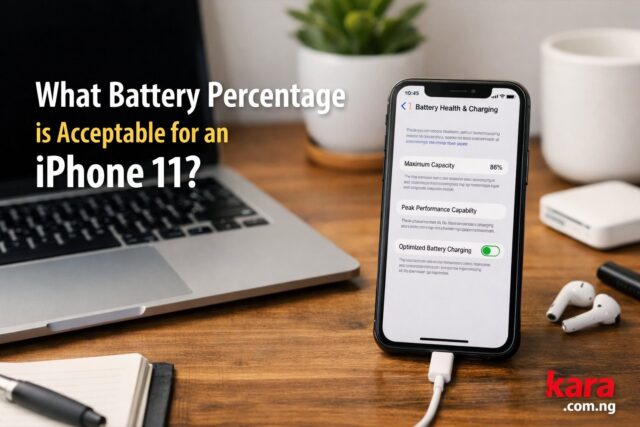
iPhone 11 showing battery health screen with maximum capacity percentage on a desk workspace illustrating acceptable battery percentage for used iPhone buyers
An iPhone 11 displaying its battery health percentage, helping buyers understand what battery condition is acceptable when purchasing a fairly used device.

Buying a fairly used iPhone 11 in Nigeria can save you a lot of money, but one detail that many buyers overlook is battery health – What is an acceptable level for iPhone 11 battery Percentage. The battery percentage shown in the phone settings gives a quick idea of how strong the battery still is. If you are planning to buy one, knowing the acceptable battery level can help you avoid a device that drains too fast or needs immediate replacement. This guide explains what battery health is acceptable for iPhone 11, how to check it, and what it means for everyday use.

You can browse verified listings here: iPhone 11 listings on Kara

iPhone 11 Battery: Understanding iPhone 11 Battery Health

When you open Battery Health in the settings of an iPhone, you will see a percentage called Maximum Capacity. This number shows how much of the original battery strength remains.

For example, if the phone shows 90 percent, it means the battery can hold about 90 percent of the charge it had when the phone was brand new.

Many Nigerian buyers often ask about acceptable battery health for fairly used iPhone 11 because the device has been in the market since 2019. It is normal for the battery capacity to drop with time, but the key is knowing the point where the battery is still reliable.

In simple terms, the higher the percentage, the better the performance and battery life.

iPhone 11 Battery: What Battery Percentage is Considered Good for iPhone 11?

For most buyers, a battery health between 85 percent and 100 percent is considered good.

Here is a practical guide many phone sellers in Nigeria use.

Battery HealthConditionBuying Advice
95 to 100 percentExcellentAlmost like new
90 to 94 percentVery goodSafe to buy
85 to 89 percentGoodAcceptable for daily use
80 to 84 percentFairExpect faster drain
Below 80 percentPoorBattery replacement likely

If you are searching for best battery health to buy iPhone 11 in Nigeria, most experts recommend buying a device that has at least 85 percent battery health.

Phones below that level may still work, but the battery will drain noticeably faster.

iPhone 11 Battery: Why Battery Health Matters When Buying a Used iPhone

Battery health affects the real-world experience of using the phone. Even if the device looks clean externally, a weak battery can make it frustrating to use.

For example, someone looking for iPhone 11 battery health buying guide Nigeria should consider daily habits like streaming videos, browsing social media, and using navigation apps. These activities consume a lot of battery power.

If the battery capacity is low, you may find yourself charging the phone two or three times a day.

This is why buyers who want how to check battery health before buying iPhone 11 should always verify the percentage before paying for the phone.

iPhone 11 Battery: How to Check Battery Health on an iPhone 11

Checking battery health takes less than one minute.

Follow these steps:

  1. Open Settings
  2. Tap Battery
  3. Select Battery Health and Charging
  4. Look at Maximum Capacity

This percentage shows the current battery strength.

If you are planning to buy a device from a phone seller or online marketplace, this step helps you confirm the how to check battery health on used iPhone 11 before completing the purchase.

Also check if the phone displays a message saying the battery needs service. That warning usually appears when the battery is too weak.

iPhone 11 Battery: Real Life Usage: What Different Battery Levels Feel Like

Battery health affects how long the phone lasts during daily activities.

Here is a practical example based on common usage patterns.

Battery HealthTypical Experience
95 percentFull day use without worry
90 percentSlightly reduced battery life
85 percentStill reliable for a full workday
80 percentCharging may be needed before evening
75 percent or lowerFrequent charging required

Many buyers researching how long iPhone 11 battery lasts at 85 percent health will notice that the phone still performs well for normal tasks like WhatsApp, browsing, and watching short videos.

However, heavy users who play games or record videos may notice faster drain.

When Should You Avoid Buying an iPhone 11?

Some battery conditions are clear warning signs.

Avoid buying the phone if:

• Battery health is below 80 percent
• The battery shows service warning
• The phone drains unusually fast during testing
• The battery percentage drops quickly after unplugging

If you encounter these signs, the device may require battery replacement soon. That is why many buyers searching minimum battery health to buy used iPhone 11 try to stay above 85 percent.

Is It Worth Buying an iPhone 11 With 85 Percent Battery Health?

Yes, in many cases it is still a good purchase.

An iPhone 11 with 85 percent battery health can still deliver solid performance for messaging, browsing, photos, and social media.

For buyers researching is 85 percent battery health good for iPhone 11, the answer usually depends on the price. If the phone is significantly cheaper than one with 90 percent battery health, it may still be worth buying.

However, if the price difference is small, choosing the stronger battery option is usually the better decision.

You can browse verified listings here: iPhone 11 listings on Kara

Expert Tips When Buying a Used iPhone 11

Phone experts and experienced buyers usually follow a few simple checks.

First, always verify the battery health yourself. Do not rely only on what the seller says.

Second, check the charging speed. A weak battery sometimes charges slowly or drops quickly.

Third, compare multiple listings before buying. This helps you understand the average battery health of used iPhone 11 in Nigeria.

Finally, consider the long-term value. Buyers looking for best condition iPhone 11 battery percentage for resale should target devices above 90 percent battery health.

Final Recommendation for Nigerian Buyers

If you are planning to buy an iPhone 11 today, the safest battery range is between 90 percent and 100 percent.

A phone with 85 percent battery health can still be acceptable if the price is attractive. Anything below 80 percent should only be considered if you are prepared to replace the battery.

For most buyers searching what battery percentage is acceptable for iPhone 11, the practical rule is simple:

Buy above 85 percent whenever possible.

That way, you enjoy strong battery performance without worrying about early replacement.

Explore available devices here: iPhone 11 listings on Kara

Choosing the right battery condition ensures that your iPhone 11 delivers reliable performance for everyday Nigerian use.

iPhone 6 in 2026: Is It Still Usable? Buyer’s Guide for Nigeria

0
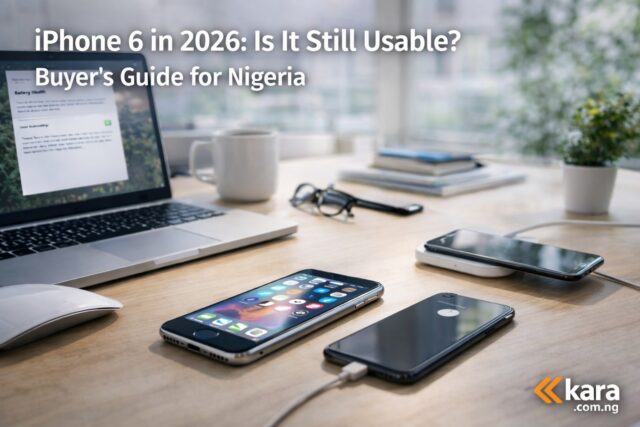
iPhone 6 on a desk in a modern workspace showing whether the device is still usable in 2026 for Nigerian smartphone users
An iPhone 6 placed on a modern workspace desk with other devices, illustrating the discussion about its usability in Nigeria in 2026.

The iPhone 6 is now more than a decade old, yet many Nigerians still ask whether it is worth using or buying in 2026. With the high cost of newer smartphones and the large second hand market across Nigeria, the iPhone 6 still appears in many listings. But is it still practical for daily use today? This guide explains the real usability of the device, who should consider buying it, and what better alternatives exist in the Nigerian market.

Shop for iPhone 6 on Kara

iPhone 6 Overview in 2026

The iPhone 6 was released by Apple in 2014. At the time, it was a major upgrade with a larger display and improved performance compared to earlier models.

However, technology has moved forward quickly.

Key specifications include:

FeatureiPhone 6
Display4.7 inch Retina
ChipApple A8
RAM1 GB
Camera8 MP rear
Battery1810 mAh
Latest Supported iOSiOS 12

Today the phone is considered very old by smartphone standards.

Most modern apps and services are designed for newer operating systems and more powerful hardware.

Anyone considering the phone should understand its limitations before making a purchase.

Shop for iPhone 6 on Kara

Can the iPhone 6 Still Be Used in Nigeria in 2026

Yes, the phone can still be used for basic tasks.

However, its usefulness depends on what you want to do with it.

You can still use the phone for:

  • Phone calls and SMS
  • Light browsing
  • Basic social media
  • Music playback
  • Simple apps

But heavy tasks will be frustrating.

Many users searching for iPhone 6 usability in Nigeria 2026 discover that performance is slow when running newer apps.

Apps like banking apps, modern games, and productivity tools may not run properly or may refuse to install entirely.

For very light usage, the phone still works.

For everyday smartphone use, it struggles.

Software Limitations of the iPhone 6 Today

One of the biggest issues is software support.

Apple stopped major updates for the device years ago.

The last major supported system is iOS 12.

This means many modern apps no longer support the device.

Users searching for apps that still work on iPhone 6 in 2026 often notice that several major apps require newer iOS versions.

Common problems include:

  • Apps refusing to install
  • Older versions of apps with missing features
  • Security risks due to outdated software

Banking apps are especially affected because many Nigerian financial apps require newer security standards.

This makes the phone less suitable for everyday financial use.

Performance and Battery Reality

Another major concern is performance.

The A8 chip and 1 GB RAM were acceptable many years ago but are now extremely limited.

Users who search for iPhone 6 performance review for Nigeria users usually report:

  • Slow app loading
  • Frequent lag when switching apps
  • Poor multitasking performance

Battery health is another problem.

Most available units in Nigeria are used devices.

That means the original battery has likely degraded.

Many buyers searching for iPhone 6 battery replacement options in Nigeria end up replacing the battery shortly after purchase.

Without a new battery, daily usage may require multiple charges.

Camera Quality Compared to Modern Phones

The iPhone 6 camera was impressive at launch.

But today it feels outdated.

The 8 MP camera struggles in low light and lacks many modern camera features.

For users looking for iPhone 6 camera quality in 2026 comparison, the difference becomes obvious when compared to newer budget phones.

Modern entry level Android phones often have:

  • Better night photography
  • Improved portrait mode
  • Higher resolution cameras

If photography matters to you, the iPhone 6 will likely disappoint.

Who Should Still Consider Buying an iPhone 6

Despite the limitations, some people may still find it useful.

The phone can work for:

Students needing a cheap backup phone.

Users who only need calls and light internet.

People who want to experience iOS on a very tight budget.

Those looking for cheap used iPhone 6 price in Nigeria sometimes buy it as a temporary device.

However, it should not be your main phone if you rely on apps daily.

Better iPhone Alternatives in Nigeria

If your budget allows, newer models provide much better value.

These options are far more practical in 2026.

ModelWhy It Is Better
iPhone 8Faster chip and better camera
iPhone XRLarger screen and longer battery life
iPhone 11Strong performance and modern camera

Many buyers researching best affordable iPhones to buy in Nigeria 2026 often find the iPhone 8 or iPhone XR to be far better options.

You can explore available options here:

Browse available iPhones on Kara

These phones still support newer apps and provide smoother everyday use.

Expert Tip Before Buying a Used iPhone

If you still decide to buy an older iPhone, follow these checks.

Always confirm:

  • Battery health
  • Storage capacity
  • iCloud lock status
  • Physical condition
  • App compatibility

Many buyers researching things to check before buying a used iPhone in Nigeria skip these steps and regret it later.

A quick inspection can save you from expensive repairs.

Final Verdict: Should You Buy an iPhone 6 in 2026

The iPhone 6 is technically still usable.

But it is no longer a practical smartphone for most people.

It struggles with modern apps, software updates, and battery performance.

For extremely basic usage it can still work.

But if you want a smoother smartphone experience, it is better to choose a slightly newer model.

Expert Recommendation

If your budget is tight, consider these instead:

  • iPhone 8 for reliable performance
  • iPhone XR for better battery life
  • iPhone 11 for modern features

These devices provide a much better experience and will remain usable for longer.

You can explore trusted options here:

Shop for iPhone 6 on Kara

Choosing the right phone today will save you money and frustration in the long run.

9 Important How-To-Tips for Samsung Phone Features

0
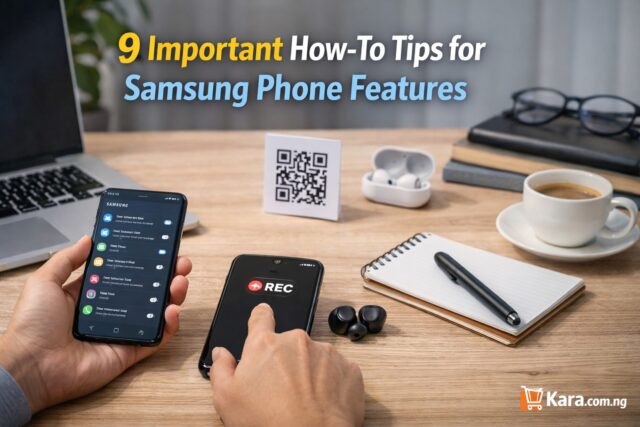
Person using a Samsung smartphone to access phone features like screen recording and settings on a clean workspace desk with laptop and accessories.
Learn essential Samsung phone tips such as screenshots, screen recording, QR code scanning, and call settings to improve everyday smartphone use.

Samsung phones are widely used in Nigeria because they offer good performance, strong cameras, and reliable software support. Whether you are using a Galaxy A series or a Galaxy S device, there are several built in features many users do not fully understand. Knowing how to control settings like call forwarding, screen recording, safe mode, and app privacy can make everyday use much easier. This guide explains how to use Samsung phone features step by step for beginners so you can get more value from your device and avoid common usage problems.

You can explore Samsung galaxy models here: Samsung Galaxy collection

Samsung Phone Features: How to Stop Call Forwarding on Samsung

Many users enable call forwarding without realizing it, especially when trying to divert calls during travel or when using two numbers.

If calls are being redirected to another number, you may need to learn how to stop call forwarding on Samsung phone easily.

Follow these steps:

  1. Open the Phone app
  2. Tap the three dots at the top corner
  3. Select Settings
  4. Tap Supplementary services or Call settings
  5. Select Call forwarding
  6. Turn off all forwarding options

After disabling it, incoming calls will come directly to your phone again.

Expert tip: If forwarding was activated by your network provider, you may also need to dial the network cancellation code. This is useful when learning how to cancel call forwarding on Samsung Galaxy phones.

Samsung Phone Features: How to Screenshot on Samsung

Screenshots are useful for saving receipts, capturing conversations, or sharing information quickly.

The easiest method for how to take screenshot on Samsung phone without apps is using the button combination.

Steps:

  1. Press the Power button and Volume Down button at the same time
  2. Hold both buttons briefly
  3. The screen will flash to confirm the screenshot

The image will automatically save in your gallery.

Another option is palm swipe if the feature is enabled in settings. This method is helpful for users searching for how to capture screen on Samsung Galaxy phones quickly.

Samsung Phone Features: How to Screen Record on a Samsung Phone

Screen recording is useful for tutorials, game recording, or showing someone how to use an app.

Samsung includes a built-in recorder, making it simple to learn how to screen record on Samsung phone without third party apps.

Steps:

  1. Swipe down from the top of the screen
  2. Open the Quick Panel
  3. Tap Screen Recorder
  4. Choose sound settings if needed
  5. Tap Start recording

The phone will capture everything on the screen.

This feature is particularly useful for content creators and people searching for how to record screen on Samsung Galaxy for tutorials.

Samsung Phone Features: How to Update Play Store on Android

Updating the Play Store ensures your apps install properly and receive security updates.

If your Play Store behaves slowly or refuses to download apps, you may need to know how to update Google Play Store on Samsung phone manually.

Steps:

  1. Open Google Play Store
  2. Tap your profile icon
  3. Select Settings
  4. Tap About
  5. Select Update Play Store

If an update is available, it will install automatically.

Keeping the Play Store updated improves app security and helps with how to fix Play Store not updating apps on Samsung devices.

Samsung Phone Features: How to Hide Applications on Android

Many Samsung users prefer to keep some apps private, especially banking or personal apps.

Samsung phones allow you to hide apps directly from the home screen.

To learn how to hide apps on Samsung phone without installing another app, follow these steps:

  1. Open Settings
  2. Tap Home Screen
  3. Select Hide apps
  4. Choose the apps you want hidden
  5. Tap Apply

The apps will disappear from the app drawer but remain installed.

This method works well for users interested in how to hide applications on Android Samsung phones securely.

Samsung Phone Features: How to Turn Off Safe Mode on Samsung

Safe mode helps diagnose software problems, but many users accidentally activate it and do not know how to exit.

If your phone shows Safe Mode at the bottom of the screen, you may need to learn how to turn off safe mode on Samsung phone quickly.

Steps:

  1. Press and hold the Power button
  2. Tap Restart
  3. Wait for the phone to reboot

If safe mode remains active, check if the volume button is stuck during startup.

This solution works for users searching for how to remove safe mode from Samsung Galaxy devices.

How to Scan QR Code on Samsung

QR codes are now widely used in Nigeria for payments, event access, and product verification.

Samsung phones make it easy to learn how to scan QR code on Samsung phone using camera.

Steps:

  1. Open the Camera app
  2. Point the camera at the QR code
  3. Tap the link that appears on the screen

You can also scan codes using the Quick Panel QR scanner.

This feature is useful for people learning how to scan QR code on Android Samsung phones for payments and links.

How to Remove Private Number on Samsung

Sometimes calls appear as Private Number because caller ID settings are turned off.

If people cannot see your number when you call, you may need to know how to remove private number on Samsung phone settings.

Steps:

  1. Open the Phone app
  2. Tap the three dots
  3. Select Settings
  4. Tap Supplementary services
  5. Select Show caller ID
  6. Choose Network default or Show number

This setting ensures your contacts can see your number.

It is helpful for users searching how to show caller ID on Samsung Galaxy phones easily.

How to Clear Cache on Android Phone

Clearing cache improves performance and solves many common app problems.

If your phone feels slow or apps freeze, you may need to learn how to clear cache on Samsung Android phone for better performance.

Steps:

  1. Open Settings
  2. Tap Apps
  3. Select the app you want
  4. Tap Storage
  5. Select Clear cache

You can also clear system cache using device care settings.

This method is helpful for people looking for how to clear cache on Android phone to make it faster.

When It Might Be Time to Upgrade Your Samsung Phone

While these tips improve everyday performance, older phones may still struggle with heavy apps or storage limitations.

If you experience:

• Frequent lag when opening apps
• Battery draining too quickly
• Camera quality no longer meeting your needs

It may be worth considering a newer Samsung device.

You can explore newer models here: Samsung Galaxy collection

Quick Comparison of Popular Samsung Series

Samsung SeriesBest ForTypical Users
Galaxy A SeriesAffordable everyday useStudents and casual users
Galaxy S SeriesPremium performance and cameraProfessionals and creators
Galaxy Z SeriesFoldable innovationTech enthusiasts

Choosing the right model depends on your budget and daily usage.

Expert Recommendation

Samsung phones come with many built in features that most users never fully explore. Learning how to control settings like call forwarding, safe mode, cache management, and privacy options can significantly improve your phone experience.

Before replacing your device, try these solutions first. In many cases, simple adjustments can make your Samsung phone faster, safer, and easier to use.

If you are planning an upgrade, check the latest Samsung devices available here: Samsung phones on Kara

This ensures you choose a device that fits your needs and budget.

How to Make Your iPhone 8 Last Another 3 Years

0
An image of Black color Apple iPhone 8

The iPhone 8 is still a dependable smartphone for many Nigerians who want a reliable device without spending heavily on the latest models. With the rising cost of smartphones and fluctuating exchange rates, many users prefer to extend the life of their current phones rather than upgrade immediately. If you are wondering how to make your iPhone 8 last longer in Nigeria, the good news is that with proper care, smart usage habits, and a few strategic upgrades, your device can comfortably serve you for another three years.

Why Many Nigerians Still Use the iPhone 8

The iPhone 8 remains popular in Nigeria because it still delivers solid everyday performance. It handles WhatsApp, banking apps, social media, and normal browsing without major issues. The camera quality is also decent for everyday photos and short videos.

Another reason people hold on to the device is affordability. New iPhones are expensive, so extending the lifespan of an existing device becomes the smarter financial decision.

If you follow the right steps for how to extend iPhone battery life on iPhone 8, maintain storage properly, and protect the hardware, the phone can continue serving everyday needs.

Replace the Battery When Performance Drops

Battery health is the single most important factor in keeping an older iPhone running smoothly. Most iPhone 8 devices in Nigeria today have batteries that are already worn out after years of use.

If your phone drains quickly, switches off randomly, or struggles to last half a day, the battery likely needs replacement.

Look out for these signs:

• Battery health below 80 percent
• Phone getting hot during normal use
• Fast battery drain even when idle

Replacing the battery is one of the best ways to improve iPhone 8 battery replacement in Nigeria for longer usage.

A new battery can make the phone feel almost new again and significantly improve how to improve iPhone 8 performance in 2026.

Expert tip: Always replace batteries at reputable repair centres to avoid low quality batteries that swell or damage the device.

Manage Storage to Keep the Phone Fast

Many iPhone 8 users complain that their phones become slow over time. In most cases, storage is the main problem.

When your storage is almost full, the phone struggles to perform basic tasks smoothly.

Follow these steps for how to free up storage on iPhone 8 without deleting important files:

• Delete unused apps
• Clear old videos and screenshots
• Move photos to iCloud or Google Photos
• Remove large WhatsApp media files

Keeping at least 10 to 15 percent of your storage free helps the phone run smoothly.

If you plan to keep the device long term, this is one of the simplest ways to achieve how to keep an old iPhone running smoothly in Nigeria.

Protect the Screen and Hardware

The iPhone 8 has a glass back and front. While it looks premium, it also means repairs can be expensive if it breaks.

To avoid unnecessary repair costs, invest in proper protection.

Recommended accessories include:

• Shockproof phone case
• Tempered glass screen protector
• Water resistant pouch for travel

These small investments help reduce the chances of costly repairs and support how to maintain an iPhone 8 for long term use.

You can explore protective accessories here: iPhone cases and accessories

Reduce Background Activity That Slows the Phone

Over time, many apps run in the background and consume memory, battery, and processing power.

This can make the phone feel slow.

To optimize your device for best settings to make iPhone 8 faster, try the following:

• Turn off background app refresh for unnecessary apps
• Disable location services for apps that do not need it
• Reduce motion effects in accessibility settings
• Restart the phone regularly

These small adjustments improve how to optimise an old iPhone for better performance and extend the life of the device.

Keep Your Software Updated but Manage Expectations

Software updates are important for security and compatibility with apps. However, older devices sometimes struggle with heavy updates.

For the iPhone 8, updating iOS ensures better security and keeps apps working properly.

This is essential for how to keep iPhone 8 secure and updated in Nigeria.

However, avoid installing beta updates or experimental versions that may slow the device.

Expert tip: Always check available storage and battery health before installing a major iOS update.

Upgrade Accessories Instead of Upgrading the Phone

Sometimes improving the experience of using your phone is enough to delay buying a new one.

Instead of replacing the phone immediately, consider upgrading accessories.

Useful upgrades include:

• Fast charging adapter
• Wireless charging pad
• Better earphones or Bluetooth earbuds
• Car charging accessories

These improvements enhance everyday usability and contribute to ways to extend the life of an iPhone 8 without upgrading.

When It Finally Makes Sense to Upgrade

While the iPhone 8 can still serve well, there will eventually be a time when upgrading becomes necessary.

Consider upgrading when:

• Apps stop supporting the device
• Battery replacements become too frequent
• Storage limitations affect daily use
• Camera quality no longer meets your needs

If that time comes, you can explore newer options here: iPhones on Kara

Expert Recommendation

If your iPhone 8 is still in good condition, replacing the battery, managing storage, and using proper accessories can extend its life significantly.

Many Nigerian users successfully use their devices for five to six years by following these steps.

Before rushing to buy a new phone, consider improving the one you already have.

A few smart adjustments can easily help your iPhone 8 last another three years.

0FansLike
0FollowersFollow
0SubscribersSubscribe

Recent Posts