Home Blog Page 2

9 steps to ensure your home office does not ruin your productivity.

0

As of April 2026, the transition to remote work in Nigeria has evolved from a temporary fix to a permanent professional lifestyle. However, without the right setup, your “office” can quickly become a source of physical strain and digital frustration.

To maintain your peak performance while working from home, follow these nine essential steps to optimize your space, health, and energy.

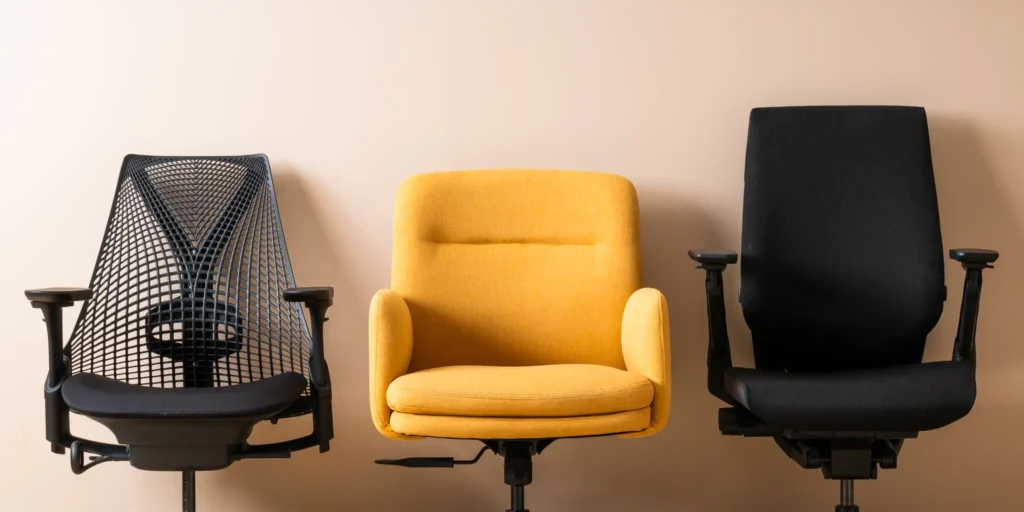
 Invest in True Home Office Ergonomic Chairs (Your Back Will Thank You)

The biggest productivity killer is physical discomfort. Working from a couch or a dining chair leads to “tech neck” and lumbar strain.

  • The Chair: Upgrade to a professional task chair. A mesh backrest, like the Emel Victory Swivel Chair (approx. ₦165,000), is ideal for Nigeria’s climate because it promotes airflow.
  • The Desk: Ensure your elbows fall at a 90-degree angle to your keyboard. If you can’t afford a standing desk, use a Laptop Stand to bring your screen to eye level.

Master the “Fuel-Free” Power Strategy

With petrol prices at ₦1,257/litre, running a generator all day is no longer sustainable.

  • The Inverter Advantage: A Mercury 1kVA Inverter paired with a Deep Cycle Battery can power your laptop, router, and fan silently for hours.
  • Solar Backup: Adding even a single 200W Solar Panel can keep your batteries topped up during the day, eliminating “Naira Math” headaches.

Optimize Your Digital Tools (Laptops & Connectivity)

A lagging laptop is a lagging career. For 2026, your machine should handle heavy video conferencing and multitasking without breaking a sweat. To optimize your gadgets’ power consumption, you need to address three key areas: software efficiency, connectivity management, and physical battery health. Modern lithium-ion batteries are resilient, but they are highly sensitive to how they are charged and the environment they operate in.

Maximize Operating Efficiency & Idle Time

The most immediate way to extend your daily charge is to reduce the energy required by your screen and processor.

  • Screen Optimization: The display is the single largest power consumer. Use Adaptive Brightness (Auto-Brightness) to let the device dim itself in dark environments. On smartphones with OLED screens, enabling Dark Mode saves significant power because black pixels are essentially turned off.
  • Idle & Timeout Settings: Set your “Screen Timeout” (phones) or “Sleep Timer” (laptops) to the shortest comfortable duration (e.g., 30 seconds for phones, 5 minutes for laptops). This prevents the device from burning power while sitting unused.
  • Power Saver Modes: Don’t wait until you are at 10%. Proactively turning on Battery Saver or Low Power Mode at 30% or 40% restricts background app activity and lowers the refresh rate (e.g., from 120Hz to 60Hz), which can cut display power consumption by up to 40%.

Manage Connectivity & Bluetooth Modes

Wireless radios (Wi-Fi, Bluetooth, GPS) are “always-on” energy drains that scan for signals even when not in active use.

  • Toggle Unused Radios: If you aren’t using a Bluetooth speaker or Wi-Fi, turn them off. If you are in an area with poor cellular reception, turn on Airplane Mode; otherwise, your phone will drain its battery trying to “find” a signal at high power.
  • Bluetooth Low Energy (BLE): Modern wearables use BLE, which operates with a low duty cycle to transmit data in tiny bursts. However, your phone still scans for standard Bluetooth devices in the background. Go to your location services settings and disable Bluetooth Scanning and Wi-Fi Scanning to stop the hardware from constant background “pings.”
  • Location Services: Audit your apps and change permissions from “Allow all the time” to “Only while using the app.” This prevents GPS from waking up your processor while the phone is in your pocket.

Protect Health via Charge & Discharge Cycles

A “cycle” is one full discharge and recharge ($0\% \to 100\%$). Lithium-ion batteries have a finite number of these before they degrade.

  • The 20-80 Rule: Repeatedly charging to 100% or letting the battery drop to 0% puts physical stress on the cells. The “sweet spot” for longevity is keeping your battery between 20% and 80%. Many modern laptops and phones have a “Protect Battery” or “Optimized Charging” setting that stops charging at 80% to prolong battery life.
  • Heat Management: Heat is the silent killer of batteries. Avoid using graphics-heavy apps or fast-charging your device in direct sunlight or tucked under a pillow. If a device gets hot, it drains faster and permanently loses capacity.
  • Calibration: While you should avoid 0%, it is helpful to occasionally (once every 2–3 months) drain the battery to under 10% and then charge it fully to 100%. This “calibrates” the digital sensor so your device displays an accurate battery percentage.

Summary Table: Power Optimization Checklist

FeatureAction to TakePower Saved
DisplayEnable Dark Mode & Adaptive BrightnessHigh
Refresh RateDrop from 120Hz to 60HzMedium
RadiosDisable Bluetooth/Wi-Fi background scanningMedium
App ActivityRestrict “background usage” for non-essential appsMedium
HealthMaintain charge between 20% and 80%Longevity

If you’re looking for a new device, Kara team can help you find laptops with the best battery life or high-capacity power banks to keep your current gadgets running longer

  • The Laptop: The MacBook Air M4 is the ultimate remote work tool due to its 18-hour battery life and silent operation. If you prefer Windows, the Dell Latitude 7450 offers enterprise-grade reliability.
  • The Network: Don’t rely on a phone hotspot. A dedicated TP-Link Wireless Router ensures stable Wi-Fi for every corner of your home.

Control the Climate: Fan vs. Air Conditioner

Temperature directly affects your brain’s processing speed.

  • The Efficiency Rule: Use a Ceiling Fan for 80% of the day—it consumes only 70 Watts compared to an AC’s 1,500 Watts.
  • Smart AC Usage: If you must use an Air Conditioner, set it to 24°C to 26°C. This is the “productivity sweet spot” that keeps you cool without causing your electricity bill to skyrocket.

Smart Energy & Charging Habits

Protect your expensive devices by charging them intelligently.

  • The 20-80 Rule: To extend your Smartphone and laptop battery life, try to keep the charge between 20% and 80%.
  • Avoid Overcharging: Unplug your laptop once it reaches 100% to prevent heat-related wear. Always use the original Charger to avoid damaging the internal cells.

Eliminate Noise Pollution

The “constant hum” of a neighbor’s generator can reduce your cognitive focus by up to 30%.

  • Silence is Golden: Transitioning to an Inverter system provides a silent, fume-free environment.
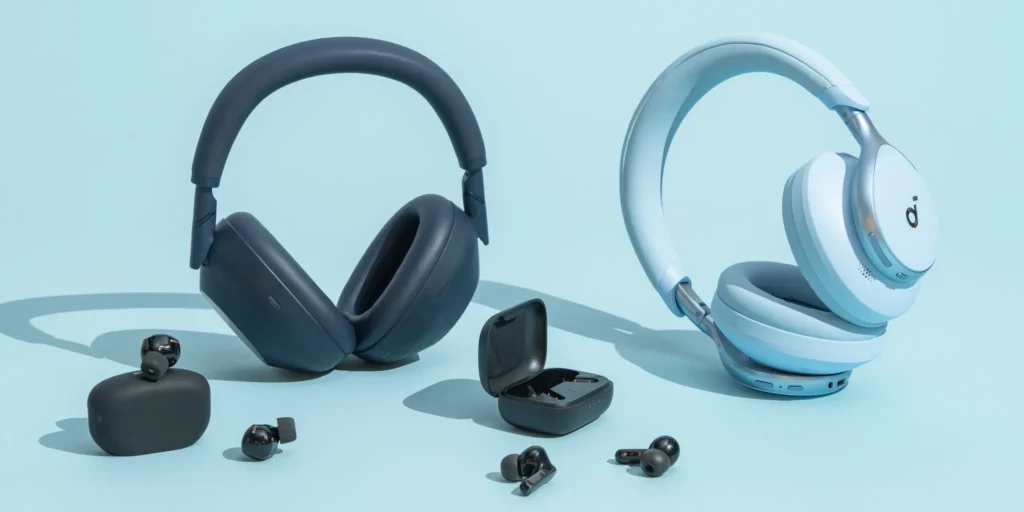
  • Audio Focus: If the noise is unavoidable, invest in Noise-Cancelling Headphones to create a private sound bubble for your meetings.

 Modernize Your Paperwork

A cluttered desk is a cluttered mind.

  • Compact Printing: An HP or Canon Printer with wireless capabilities allows you to print from your phone or laptop across the room, keeping your main desk clear of extra hardware.

Adopt Healthy “Desk Habits”

  • The 20-20-20 Rule: Every 20 minutes, look at something 20 feet away for 20 seconds. This prevents digital eye strain.
  • Movement Breaks: Stand up and stretch every hour. A quick walk around the house resets your focus.

Designate a “Finish Line”

Remote work fails when you never stop working.

  • Shut Down: When your shift ends, physically close your laptop and turn off your desk lamp. This tells your brain that the “office” is closed.

Essential Home Office Upgrades on Kara.ng

CategoryRecommended ProductBest For
ChairEmel Victory SwivelBreathable comfort in heat
LaptopDell Latitude 7450Reliable Windows performance
PowerBlue Gate 6.2KVA UPSBoardroom-level protection
NetworkTP-Link Archer AXE75High-speed Wi-Fi 6E

Conclude your setup by focusing on long-term savings. While a solar system or a premium ergonomic chair has an upfront cost, the increase in your daily output and the reduction in fuel bills will pay for the investment within the first few months.
A complete guide for a remote software developer’s home office

0

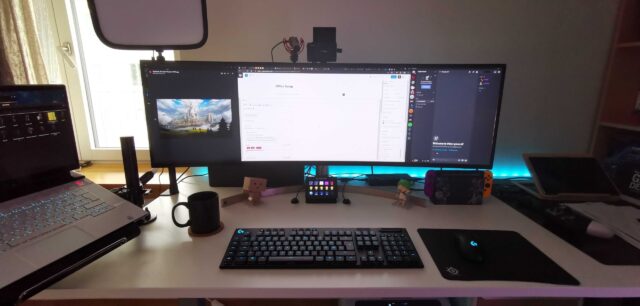
A well-optimized home office is no longer a luxury for remote software developers; it is a critical investment in your productivity, health, and career longevity. In 2026, the boundary between “work” and “home” is increasingly defined by the quality of your physical setup.

This guide outlines the essential components of a high-performance workspace, from ergonomic furniture to the specialized peripherals that make long coding sessions manageable.

The Foundation: Ergonomic Furniture

The most important “hardware” you will ever interact with is your chair and desk. Developers spend an average of 8–10 hours a day seated, making ergonomics the primary defense against chronic back and neck issues.

The Ergonomic Chair

In 2026, the gold standard remains the Herman Miller series. The Herman Miller Sayl is a top overall pick for its gridded, breathable elastomer backrest, which provides dynamic support across various sitting positions. For those looking for a premium upgrade, the Steelcase Leap offers unmatched lumbar adjustability and weight distribution.

If you are on a budget, the Mimoglad Office Chair or the Staples Hyken provide surprisingly good mesh support and recline functionality for a fraction of the cost of high-end models.

The Sit-Stand Desk

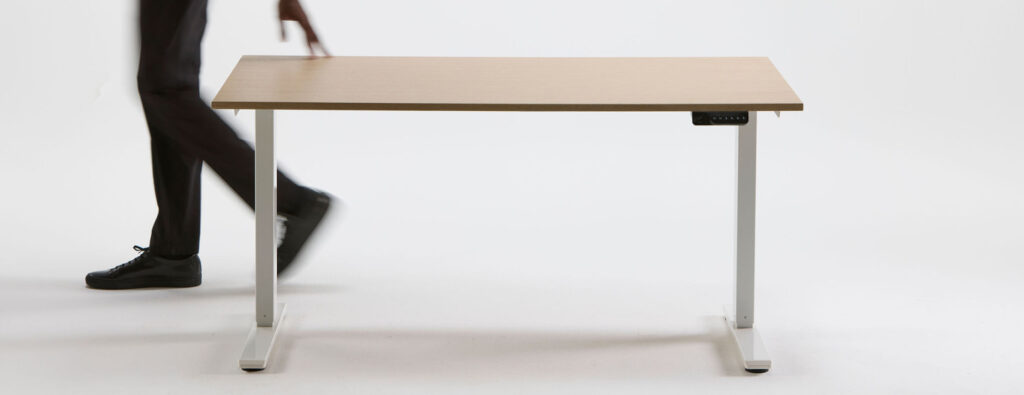
Postural variation is key to preventing stiffness. A motorized standing desk, such as the Uplift V3 or the Flexispot E7 Pro, allows you to transition between sitting and standing in seconds. Look for desks with a high weight capacity (at least 355 lbs) and dual motors for stability, especially if you have a multi-monitor setup.


2. Visual Real Estate: High-Resolution Monitors

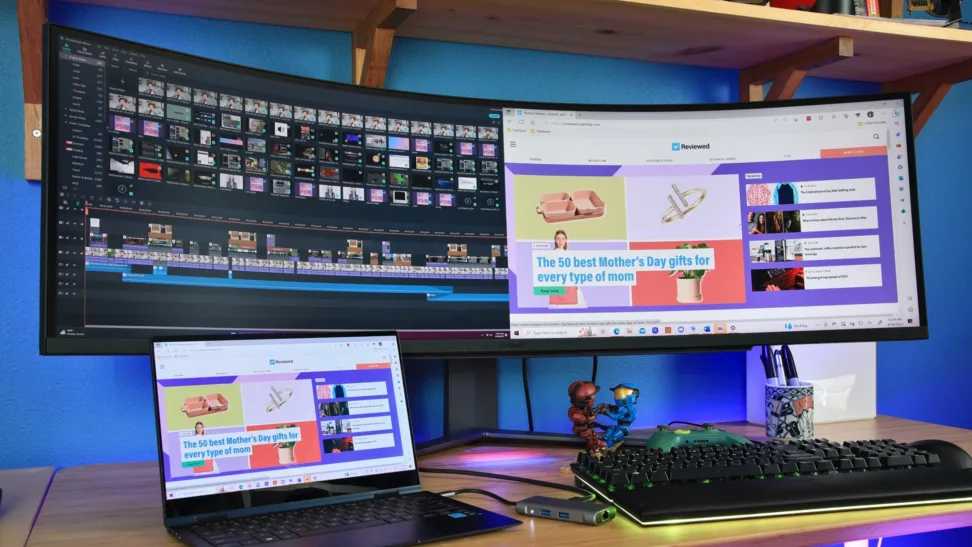
A software developer’s productivity is directly linked to screen real estate. Being able to view your IDE, browser, and terminal simultaneously without constant tab-switching is a game-changer.

Ultrawide vs. Dual Monitors

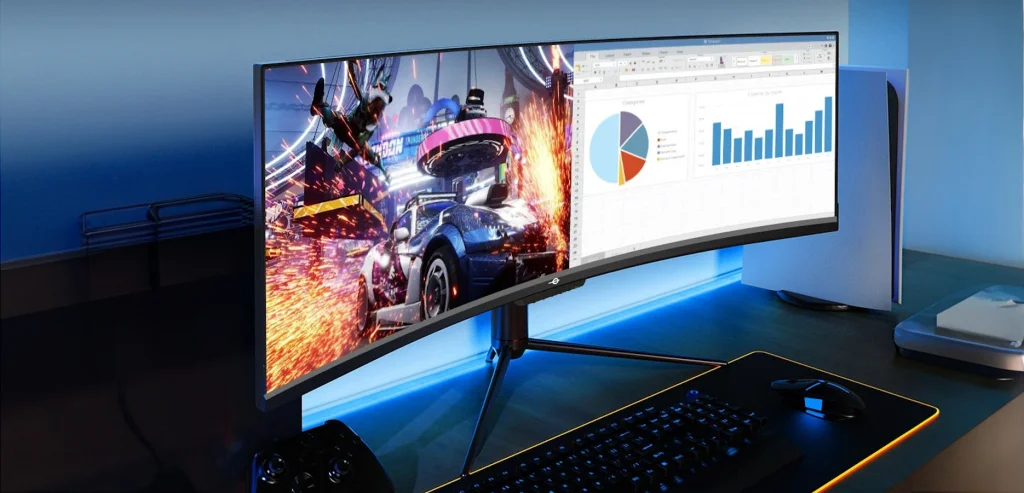
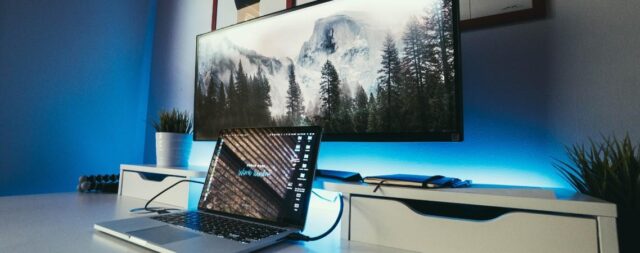
Many developers now prefer a single ultrawide monitor over dual screens to eliminate the bezel between them. The HP Series 7 Pro 34-inch WQHD is a 2026 favorite, featuring a built-in high-quality webcam for meetings and a massive screen that can be partitioned virtually.

For those who prioritize color accuracy and “smart” features, the Samsung Smart Monitor M9 (M90SF) provides a gorgeous 32-inch 4K OLED panel that doubles as an entertainment hub when the workday ends.


3. The Developer’s Input: Keyboards and Mice

Peripherals are where developers have the most room for personal customization. A mechanical keyboard isn’t just about the satisfying sound; it’s about tactile feedback and reducing typing fatigue.

Mechanical Keyboards

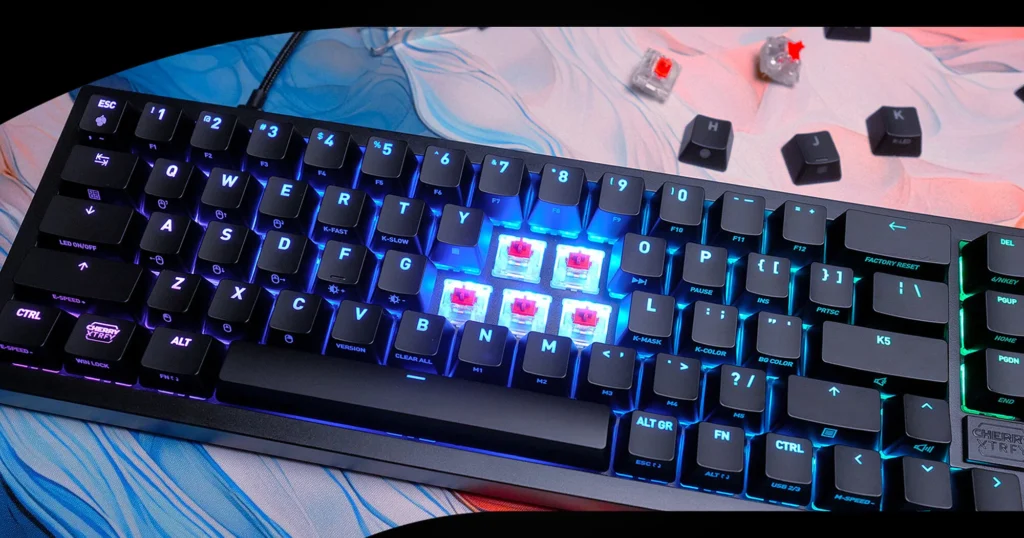
The Keychron Q1 Series is highly recommended for developers for its robust CNC-machined aluminum build and full QMK/VIA programmability, which lets you create custom macros for repetitive code blocks. For remote workers who travel, the low-profile NuPhy Air75 V2 offers extreme portability without sacrificing the mechanical feel.

Precision Mice

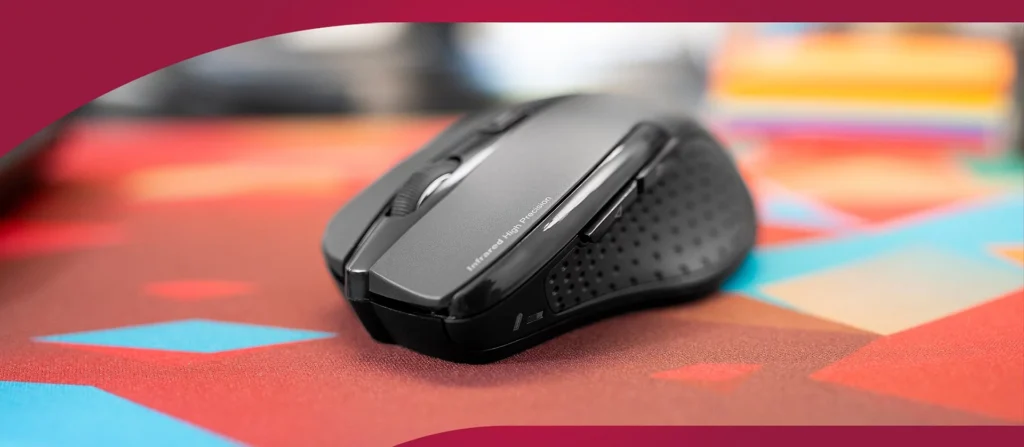
The Logitech MX Master 3S remains the industry leader for its horizontal scroll wheel (perfect for long lines of code) and its ability to switch seamlessly between multiple devices.


4. Focus and Communication: Audio and Connectivity

Deep work requires the ability to block out household noise, while clear communication is essential for “Daily Standups” and collaborative debugging.

Noise-Canceling Headphones

The Sony WH-1000XM5 provides best-in-class adaptive noise cancellation and AI-enhanced microphones that isolate your voice from background chatter. If you prioritize all-day comfort, the Bose QuietComfort Ultra features “CustomTune” technology that profiles your unique ear geometry to optimize sound.

The Central Hub: Docking Stations

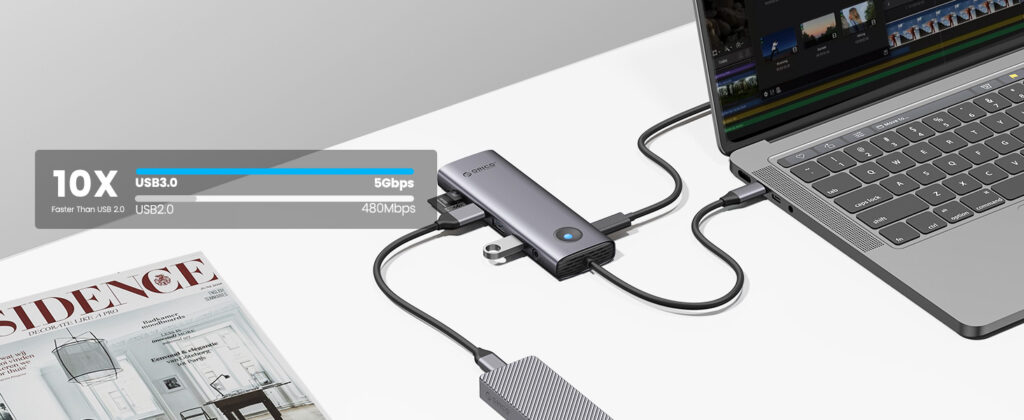
With many developers working off powerful laptops, a docking station is necessary to turn your laptop into a desktop. The Plugable USB-C Triple Display Dock lets you connect up to three monitors and charge your laptop with a single cable, significantly reducing desk clutter.


5. Environment: Lighting and Air Quality

Your physical environment affects your energy and mood more than you might realize.

  • Lighting: Position your desk near natural light to boost alertness. For late-night coding, an adjustable LED desk lamp with eye-care technology (low-blue-light) is essential to prevent eye strain.
  • Air Quality: A HEPA-filtered air purifier can improve mental clarity by reducing allergens and carbon dioxide levels in small home offices.
  • The 20-20-20 Rule: To protect your vision, every 20 minutes, look at something 20 feet away for 20 seconds.
  • Air conditioner units: A well-regulated environment improves your well-being and that of your gadgets, such as laptops, phones, and monitors, preventing them from overheating 

Final Recommendation Summary

CategoryBest Premium ChoiceBest Value Choice
Ergonomic ChairSteelcase LeapMimoglad Office Chair
MonitorSamsung Smart Monitor M9BenQ GW2486TC
KeyboardKeychron Q1Aula S75 Pro
HeadphonesSony WH-1000XM5Sennheiser Momentum 4

Investing in a proper home office is an investment in yourself. By choosing gear that supports your physical health and mental focus, you’ll find that remote work becomes significantly more sustainable and enjoyable.

Connecting a Laptop to a TV Monitor: Things to know

0

Connecting your laptop to a TV monitor is one of the quickest ways to transform your computing experience. Whether you’re a professional in Lagos needing more screen real estate for spreadsheets, a student in Abuja streaming movies, or a gamer looking for immersive visuals, the “big screen” advantage is undeniable.

In this guide, we explore everything you need to know about making this connection—from the required cables to how to ensure your PC-to-TV setup stays running during power fluctuations.


Why Connect a Laptop to a TV? Common Use Cases

While laptops are portable, their screens are inherently limited. Connecting to a TV solves several problems:

  • Productivity Boost: A large TV acts as an expansive second monitor, allowing you to open multiple windows side-by-side. This is ideal for video editing, coding, or financial analysis.
  • The Home Cinema Experience: Why squint at a 14-inch laptop screen when you can watch Netflix or YouTube on a 55-inch TV Screen?
  • Gaming: Playing PC games on a large TV with a high refresh rate provides a console-like experience with superior graphics.
  • Video Conferencing: For family Zoom calls or professional meetings, seeing participants on a life-sized screen makes the interaction feel more natural.

Modern vs. Legacy: Choosing the Right Connection

Depending on the age of your laptop and TV, you will use either a modern digital connection or a legacy analog one.

Modern Connections (Digital)

  • HDMI (High-Definition Multimedia Interface): The gold standard. A single HDMI cable carries both high-definition video and surround-sound audio. Most laptops and TVs made in the last 15 years have at least one HDMI port.
  • USB-C / Thunderbolt: Many modern, slim laptops (like MacBooks or Dell XPS) lack a dedicated HDMI port. These use USB-C to output video. You will need a USB-C-to-HDMI adapter to connect to your TV.

Legacy Connections (Analog)

  • VGA (Video Graphics Array): Found on older “workhorse” laptops and monitors. VGA only carries video, not audio.
  • The Bridge: If you have an old laptop with a VGA port but a new TV with HDMI, you’ll need a VGA to HDMI converter. Note that you’ll also need a separate 3.5mm audio cable to get sound from your TV speakers.

The Smart TV Relationship: Going Wireless

If you own a Smart TV, you might not need a cable at all.

  • Screen Mirroring / Miracast: Windows laptops can “Cast” their screen to Smart TVs (like Samsung or LG) over a shared Wi-Fi network. This is great for presentations or showing photos.
  • AirPlay: If you use a MacBook and an Apple TV or an AirPlay-compatible Smart TV, you can wirelessly extend your desktop.
  • The Downside: Wireless connections often suffer from latency (lag). If you are gaming or doing precision work, a physical HDMI cable is always superior.

Laptop-to-TV vs. Using a Projector

Many offices and homes debate whether to choose a large TV or a projector. Here is how they stack up:

Verdict: Use a TV for daily work and high-quality movies. Use a for large-scale presentations or outdoor “starlight” cinema nights.

Essential Accessories and Prices in Nigeria (2026)

To get the best experience, you need the right tools. Here are the estimated prices for 2026:

I apologize for the missing specifics. Here are the direct links and 2026 prices for the essential accessories available on Kara.com.ng.

Kara.com.ng Accessory Price List (April 2026)

AccessoryBest ForKara Price (Estimated)
Millenial HDMI Flat Cable (25m)Long-distance office setups₦23,760
HDMI to VGA Adapter (1080p)Legacy monitor connections₦4,018
USB-C to HDMI 4K Cable (1.8m)Modern MacBooks/Slim laptops₦15,500
AnyCast Wireless Display DongleWireless “Casting” to non-smart TVs₦11,700
Blue Gate 6.2KVA Online UPSCommercial/High-end protection₦793,500

Key Products for Your Setup

  • Millenial 25m HDMI Flat Cable: This is a specialized high-speed cable designed to be run under carpets or along walls without creating a bulge. It supports high-definition video over long distances, perfect for connecting a laptop to a wall-mounted TV across a room.
  • Blue Gate 6.2KVA Online UPS: For high-stakes environments like boardrooms or gaming lounges, this UPS provides zero-millisecond switchover time. This ensures that your TV and laptop never experience even a flicker during a power cut, protecting your hardware from sudden voltage drops.
  • USB-C to HDMI 4K Adapter: Essential for users with modern “Type-C only” laptops. This cable supports 4K resolution at 60Hz, ensuring that your large TV screen looks crisp and your mouse movement feels smooth without “ghosting.”
  • wireless keyboard and mouse combo to control your laptop from the couch?

The Role of UPS and Inverters for a sustained Laptop to TV experience

In Nigeria, the primary enemy of electronics is unstable power. Connecting a laptop to a TV doubles your risk of power damage—if a surge hits, it can travel through the HDMI cable and fry both devices.

The UPS Solution

A UPS acts as a bridge. If the grid fails, the UPS gives you 15–20 minutes to save your work and safely shut down the TV. More importantly, it acts as a surge protector, shielding the sensitive motherboards of your laptop and TV from “dirty” power.

  • Recommended: A 650VA to 1000VA UPS is sufficient for a TV and laptop setup.

The Inverter Advantage

For those wanting to work through a blackout, an inverter is essential. Modern inverters provide “Pure Sine Wave” power, which is even cleaner than grid power, ensuring that your TV screen doesn’t “flicker” or show static lines when the compressor of a fridge or AC kicks in elsewhere in the house.

Professional Setup Tips for your viewing experience on a TV screen

  1. Resolution Matching: After connecting, right-click your desktop and go to Display Settings. Ensure the resolution matches your TV (e.g., 3840 x 2160 for 4K TVs) so the text isn’t blurry.
  2. Sound Output: If the sound is still coming from your laptop, click the Speaker icon on your taskbar and select the TV (usually listed as “High Definition Audio Device”).
  3. Cable Management: Use to keep your HDMI and power cables organized, especially if your TV is wall-mounted.

Final Recommendation

For the most reliable and highest-quality setup, we recommend a physical High-Speed HDMI Cable to protect your investment.

Exploring Samsung Galaxy A18: The Next Evolution of Value

0
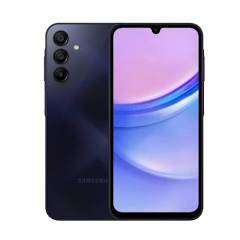
Samsung Galaxy A18, the anticipated budget-friendly 5G smartphone expected in 2026

The Samsung Galaxy A18 represents the next step in affordable smartphone innovation, combining modern design, reliable performance, and practical features for everyday users. Built to deliver excellent value without compromising on quality, this device offers a smooth mobile experience for browsing, streaming, social media, and photography. Whether you are upgrading your current phone or buying your first smartphone, the Galaxy A18 is designed to provide the essential features you need at a price that makes sense.

Samsung’s Galaxy A series has carved out a unique identity. It isn’t just the “affordable” alternative to the flagship S series; it has become the benchmark for what a reliable, everyday smartphone should look like. With 2026 well underway, all eyes are turning toward the Samsung Galaxy A18.

As the successor to the highly successful Galaxy A16 and the recently released A17, the A18 is expected to be a pivotal release that further bridges the gap between budget-friendly hardware and high-end user experiences. Here is an exploration of the expected features of the Galaxy A18 and how it measures up against the A16.

Samsung Galaxy A18 Design and Display: Bigger, Smoother, Brighter

Samsung’s design philosophy for 2026 has leaned heavily into “minimalist sophistication.” The Galaxy A18 is expected to refine the Key Island design—the raised section on the side frame for power and volume buttons—that debuted in earlier models. We anticipate a slimmer, more ergonomic profile, potentially utilizing a matte-finish rear panel to resist fingerprints while providing a more premium, glass-like feel.

Regarding the display, the A18 is rumored to push the boundaries of the entry-level segment:

  • The Screen: A 6.7-inch Full HD+ Super AMOLED panel.
  • Refresh Rate: While the A16 featured a 90Hz refresh rate, the A18 is expected to standardize 120Hz across the lineup. This jump ensures that scrolling through social media and navigating the UI feels flagship-smooth.
  • Brightness: We expect a peak brightness exceeding 1,000 nits, making it much more usable under the harsh afternoon sun compared to the A16’s 800-nit peak.

The Power Within Galaxy A18: Performance and AI

The biggest shift from the A16 to the A18 will likely be the silicon. The Galaxy A16 relied on the MediaTek Dimensity 6300 or Exynos 1330 (depending on the region), which were capable but strictly mid-range.

The Galaxy A18 is rumored to adopt a more efficient 5nm or 4nm chipset, potentially an updated Exynos 1400-series or a Snapdragon 6-series Gen 3. This isn’t just about speed; it’s about AI. With Samsung pushing “Galaxy AI for Everyone,” the A18 is expected to support “Agentic AI” features—tools that don’t just answer questions but proactively help with tasks like real-time translation, AI-assisted photo editing, and automated scheduling.

Samsung Galaxy A18 Camera: Beyond the Megapixels

While the A16 and A17 both utilized a 50MP main sensor, the A18 is expected to focus on sensor quality and processing rather than just increasing the pixel count.

  • Primary Sensor: A 50MP wide lens with improved Optical Image Stabilization (OIS) for better low-light performance.
  • Video: The A16 was largely capped at 1080p recording. There is a strong expectation that the A18 will finally bring 4K video recording to the “A1” sub-series, making it a much more viable tool for content creators.
  • Selfie Power: A 13MP front camera remains the likely choice, but with software algorithms borrowed from the S26 series to improve skin tone accuracy and portrait bokeh.

Samsung Galaxy A18 vs. Galaxy A16: The Key Differences

To see how far the series has come in just two generations, let’s look at the head-to-head comparison:

FeatureGalaxy A16 (2024)Galaxy A18 (Expected 2026)
Display6.7″ Super AMOLED (90Hz)6.7″ Super AMOLED (120Hz)
ProcessorDimensity 6300 / Exynos 1330Next-Gen 4nm/5nm Chipset
RAM/Storage4GB/6GB RAM8GB RAM Standard
Battery5,000mAh5,000mAh to 7,800mAh (Rumored)
OS Support6 Years Updates6 Years Updates
Video1080p @ 30fps4K @ 30fps (Expected)
AI FeaturesLimited / BasicAdvanced Agentic AI

Samsung Galaxy A18 Battery Life: The Rumored Game Changer

One of the most exciting rumors circulating in early 2026 is a massive leap in battery capacity. While the A16 was a champion with its 5,000mAh cell, some industry leaks suggest the A18 could house a 7,800mAh battery. If true, this would redefine the “budget” smartphone, potentially offering three full days of usage on a single charge. Even if Samsung sticks to a more conservative 5,000mAh or 6,000mAh, the more efficient 4nm processor will naturally extend the screen-on time significantly over the A16.

You can also read further on latest Samsung Galaxy features you should know today

The Verdict: Is It Worth the Wait?

The Samsung Galaxy A16 was a solid device that brought Super AMOLED screens to a wider audience. However, the Galaxy A18 feels like a leap forward rather than a small step. Between the 120Hz display, the introduction of meaningful AI, and the potential for record-breaking battery life, the A18 is shaping up to be the most “pro” budget phone Samsung has ever made.

For users currently holding an A16, the A18 represents a massive upgrade in fluidity and intelligence. For new buyers, it confirms that in 2026, you don’t need to spend flagship money to get a flagship-feeling experience.

Expected Samsung Galaxy A18 Price in Nigeria (Estimated)

As of March 2026, the Samsung Galaxy A18 is in the “rumor and anticipation” phase, with several leaks suggesting it will launch later this year. While Samsung has not officially confirmed the Nigerian retail price, we can project the expected cost based on current market trends and its predecessor’s pricing.

Given the current inflation rates and the positioning of the A1 series as an entry-level professional device, the Samsung Galaxy A18 is expected to launch within the following price brackets:

VariantEstimated Price (Naira)
Galaxy A18 (6GB / 128GB)₦320,000 – ₦360,000
Galaxy A18 (8GB / 256GB)₦380,000 – ₦430,000

Note: These prices are estimates based on the current launch price of the Galaxy A17 (approx. ₦252,000) and the steady climb in smartphone costs in Nigeria.

Price Comparison: Samsung A18 vs. A16

To understand the value proposition, here is how the expected A18 pricing compares to the current market price of the A16:

  • Samsung Galaxy A16 (Current Price): Currently retails between ₦210,000 and ₦290,000 depending on the RAM/Storage configuration.
  • Price Gap: You should expect to pay roughly ₦80,000 to ₦120,000 more for the A18 than what the A16 cost at its peak. This premium accounts for the rumored 120Hz AMOLED screen, the AI-capable chipset, and potentially a much larger battery (up to 6,000mAh or 7,000mAh).

Key Market Factors for 2026

  1. 5G Standardization: Unlike the A16, which had both 4G and 5G versions, the A18 is rumored to be 5G-only. This shift slightly increases the base manufacturing cost but ensures the phone is future-proof for Nigerian networks like MTN and Airtel 5G.
  2. Exchange Rate Volatility: Because these devices are imported, the final price at stores like Kara, Slot, or Pointek will depend heavily on the Naira’s strength at the time of the official Q3/Q4 2026 release.

Is it worth the wait?

If you are currently using a Galaxy A16, the A18 will feel like a significant leap in “snappiness” due to the 120Hz screen and 8GB RAM standard. However, if your budget is strictly under ₦300,000, the Galaxy A17 (currently available) or a discounted A16 remains a very capable choice for 2026.

Interested in the Samsung Galaxy A18? Get more details, pricing, and availability instantly. Chat with us on WhatsApp now and our team will help you choose the perfect smartphone for your needs.

Discover the Best Air Fryer Recipes for Healthy Cooking Today

0
Air fryers displayed on a kitchen counter with crispy chicken inside one basket, illustrating healthy air fryer recipes for everyday cooking.
Modern air fryers displayed on a kitchen counter with freshly cooked chicken, highlighting easy and healthy meals you can prepare using an air fryer.

Best air fryer recipes for healthy cooking are helping many Nigerian households enjoy tasty meals with less oil and fewer calories. This guide explains how air fryers work, what to cook with them, and how to choose the right one for your kitchen.

Why best air fryer recipes for healthy cooking are becoming popular in Nigeria

Over the past few years, air fryers have quietly become one of the most useful kitchen appliances in many Nigerian homes. Families that once relied heavily on deep frying are now discovering that the same foods can be prepared with far less oil.

For people searching healthy Nigerian meals you can cook with an air fryer, the appeal is simple. Air fryers circulate hot air around the food to cook it evenly. This method creates crispy results without the heavy oil used in traditional frying.

Many busy professionals also appreciate how fast air fryers cook meals. Instead of standing beside a stove, you simply place the food in the basket, set the temperature, and allow the appliance to do the work.

If you want to explore options, you can check available models here:
Shop Air Fryers on Kara.com.ng

Easy meals using the best air fryer recipes for healthy cooking

One reason air fryers are growing in popularity is their flexibility. They can cook a wide range of foods that Nigerians already enjoy.

For example, people searching easy air fryer recipes for beginners in Nigeria often start with simple meals like:

  • Air fried chicken
  • Crispy plantain
  • Fish fillets
  • Sweet potato fries
  • Roasted vegetables

Air frying plantain has become particularly popular. Instead of soaking the plantain in oil, you lightly brush it with oil and place it in the fryer. The result is golden brown plantain that tastes similar to deep fried dodo but with far less oil.

For those researching how to cook Nigerian snacks in an air fryer, even small chops like samosas and spring rolls can be prepared quickly.

Choosing appliances for the best air fryer recipes for healthy cooking

Before you start cooking, choosing the right air fryer matters. Different models come with different capacities and features.

People searching how to choose the best air fryer for home cooking in Nigeria should consider the following:

Capacity

Small air fryers between 2 and 3 litres are suitable for one or two people. Families usually prefer larger models between 5 and 7 litres.

Temperature control

Adjustable temperature settings allow you to cook different foods properly.

Timer settings

Timers help prevent overcooking and make meal preparation easier.

Ease of cleaning

Models with removable baskets and non stick coating are easier to maintain.

If you want to explore options, you can check available models here:
Shop Air Fryers on Kara.com.ng

Popular foods in the best air fryer recipes for healthy cooking

Air fryers work well with many foods that Nigerians already cook regularly.

For those researching popular Nigerian foods you can cook in an air fryer, here are some examples:

FoodCooking Benefit
Chicken wingsCrispy outside without deep oil
PlantainGolden texture with less oil
Yam friesLight crisp without heavy frying
FishEven cooking and reduced oil
VegetablesQuick roasting with natural flavour

Many people who try healthy air fryer recipes for everyday meals quickly realize how versatile the appliance can be.

It works for breakfast, lunch, dinner, and even snacks.

Where to buy appliances for the best air fryer recipes for healthy cooking

Finding a reliable place to buy your appliance is important. A quality air fryer should last for years if properly maintained.

Buyers searching where to buy air fryers in Nigeria online often prefer reputable online stores because they provide product specifications and warranty information.

Online platforms also make it easier to compare different brands and prices before buying.

If you want to explore options, you can check available models here:
Shop Air Fryers on Kara.com.ng

Comparing appliances used in the best air fryer recipes for healthy cooking

Air fryers come in several categories depending on budget and features.

CategoryTypical Price RangeBest For
Entry level₦15,000 – ₦30,000First time users
Mid range₦30,000 – ₦60,000Small families
Premium₦60,000 – ₦120,000Large households

People researching best affordable air fryer for Nigerian kitchens often start with mid range models because they balance price and performance.

Expert tips for mastering the best air fryer recipes for healthy cooking

Once you start using an air fryer regularly, a few simple habits can improve your results.

Experienced users often recommend:

  1. Preheating the air fryer before cooking.
  2. Avoid overcrowding the basket.
  3. Turning food halfway through cooking.
  4. Using a light brush of oil instead of soaking food.

These small techniques help users searching how to cook crispy food in an air fryer without oil achieve better results.

Should you try the best air fryer recipes for healthy cooking

If you want healthier meals without sacrificing taste, air fryers are worth considering.

They are especially useful for:

  • Busy professionals
  • Families preparing quick meals
  • People reducing oil consumption
  • Anyone exploring healthier cooking methods

Users searching is an air fryer worth buying for Nigerian cooking often discover that it quickly becomes one of the most frequently used appliances in the kitchen.

Expert recommendation

If you are planning to start cooking with an air fryer, begin with simple recipes like chicken wings or plantain. Once you become comfortable, you can experiment with vegetables, snacks, and full meals.

Reliable appliances make the experience easier.

If you want to explore options, you can check available models here:
Shop Air Fryers on Kara.com.ng

Final thoughts

The growing interest in healthier meals has made air fryers one of the most practical kitchen appliances today. They reduce oil usage, cook food faster, and simplify everyday meal preparation.

For Nigerian households looking for convenient cooking methods, air fryers provide a practical balance between health and taste. Once you start experimenting with air fryer recipes, you may find yourself using it far more often than expected.

Unlocking Productivity: The Power of HP EliteBook Laptops

0
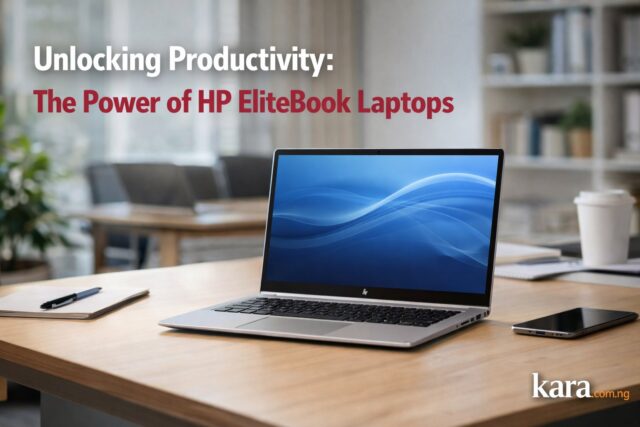
HP EliteBook laptop on a modern office desk showing a professional workspace designed for productivity and multitasking.
A sleek HP EliteBook laptop placed on a clean office desk, highlighting the performance and professional design that supports modern workplace productivity.

HP EliteBook laptops for business productivity deliver powerful performance, reliable security, and sleek professional design that help professionals in Nigeria work faster, multitask smoothly, and stay productive anywhere.

In Nigeria today, laptops are no longer just tools for basic computing. Professionals now rely on them for remote work, business management, digital marketing, coding, accounting, and presentations. This means the device you choose can directly affect your productivity.

HP EliteBook laptops are designed with professionals in mind. They combine strong performance, reliable security features, and premium design to help users work efficiently whether in the office, at home, or while travelling. For business owners, freelancers, and corporate professionals, choosing the right laptop can make every day work much easier.

If you are looking for a dependable laptop that can handle serious tasks without slowing down, HP EliteBook models are among the best options available today.

Why HP EliteBook laptops for business productivity stand out

HP designed the EliteBook series specifically for business professionals who need dependable performance every day. These laptops focus on efficiency, security, and durability rather than just flashy specifications.

One major advantage of HP EliteBook devices is their ability to handle multitasking smoothly. Many models come with powerful Intel Core or AMD Ryzen processors, allowing users to run multiple applications at the same time without experiencing slowdowns. Whether you are working with spreadsheets, editing presentations, attending video meetings, or managing business data, the system remains responsive.

Another reason many professionals prefer EliteBook laptops is their premium build quality. They are built using durable materials that can withstand everyday use while maintaining a clean, professional appearance.

For professionals looking to upgrade their work setup, exploring HP EliteBook laptops on Kara Nigeria can help you find models suited for business productivity.

Performance advantages of HP EliteBook laptops for professionals

Performance is where EliteBook laptops truly shine. These devices are built to handle demanding workloads without slowing down.

Many models support 8GB to 32GB RAM, allowing users to keep multiple applications open at once. This is especially useful for professionals who switch between documents, emails, web browsers, and productivity software throughout the day.

Fast SSD storage also improves overall performance. Unlike traditional hard drives, SSDs load applications and files much faster. This means your system boots quickly and programs open almost instantly.

For professionals handling creative tasks, some EliteBook models include dedicated graphics processors. This allows the laptop to support activities such as video editing, design work, and presentation creation without lag.

Shop HP EliteBook Laptops Here

Design benefits of HP EliteBook laptops for modern professionals

Beyond performance, HP EliteBook laptops also stand out because of their elegant and practical design.

These laptops are slim, lightweight, and easy to carry. For Nigerian professionals who move between offices, meetings, and co working spaces, portability is very important.

The keyboards are comfortable for long typing sessions, which is ideal for writers, analysts, and developers. The touchpads are also highly responsive, making navigation smooth and efficient.

Another design advantage is the high-quality display. EliteBook screens offer clear visuals and good brightness, making them comfortable for extended work hours. Some models even feature Full HD displays that improve visual clarity when working on documents or presentations.

Shop HP EliteBook Laptops Here

Security features in HP EliteBook laptops for business data protection

Security is a major concern for professionals and companies handling sensitive information.

HP EliteBook laptops include multiple built in security technologies designed to protect business data.

One example is HP Sure Start, a self-healing BIOS system that automatically repairs itself if malware attempts to attack the laptop firmware.

Biometric login options such as fingerprint readers and facial recognition provide additional protection. These features ensure that only authorized users can access the device.

Another useful security feature is HP Sure View privacy screen technology. This helps prevent people sitting beside you from seeing your screen content, which is useful when working in public places like airports, cafes, or shared workspaces.

Battery performance of HP EliteBook laptops for mobile productivity

Many professionals work outside traditional office environments. This makes battery life an important factor when choosing a laptop.

HP EliteBook laptops are designed to support long working hours without constant charging.

Efficient processors and smart power management help extend battery life. Some models can last a full workday depending on usage.

Fast charging technology also allows the battery to recharge quickly when needed. In some cases, the battery can reach around 50 percent charge within about 30 minutes.

This feature is very helpful for professionals attending meetings or travelling between locations.

Shop HP EliteBook Laptops Here

Comparing HP EliteBook laptops with other business laptops

When choosing a business laptop, buyers often compare EliteBook models with brands like Lenovo ThinkPad or Dell Latitude.

Here is a quick comparison that highlights key differences.

FeatureHP EliteBookLenovo ThinkPadDell Latitude
DesignPremium and modernFunctional and durableProfessional and sleek
SecurityAdvanced HP security suiteStrong enterprise securityEnterprise level protection
PerformanceHigh performance processorsReliable performanceEfficient multitasking
PortabilityLightweight and slimSlightly heavierPortable

While all three brands are excellent, HP EliteBook models often stand out because they balance performance, security, and elegant design.

Practical productivity tips for HP EliteBook laptop users

Once you purchase an EliteBook laptop, there are several ways to maximize its productivity potential.

First, ensure your operating system and drivers remain updated. Updates improve performance and security.

Second, organize your workflow using productivity tools such as Microsoft Office, Google Workspace, or project management apps.

Third, use features like virtual desktops and split screen mode to manage multiple tasks efficiently.

Finally, activate biometric login options such as fingerprint recognition for faster and more secure system access.

Who should buy HP EliteBook laptops for professional work

HP EliteBook laptops are particularly suitable for several groups of professionals.

Business executives benefit from their strong security features and premium design.

Freelancers and remote workers appreciate their portability and battery life.

Software developers and analysts value their multitasking capabilities and powerful processors.

Students studying technology, business, or design may also find them useful due to their performance reliability.

Where to buy HP EliteBook laptops in Nigeria

When buying a professional laptop, choosing a reliable store is just as important as choosing the right model.

Kara Nigeria offers a range of HP EliteBook laptops suitable for different professional needs. From lightweight models for everyday office work to more powerful systems for advanced productivity tasks, there are several options available.

You can explore available models through HP EliteBook laptop deals on Kara.com.ng to compare features and pricing before making a decision.

Expert recommendation: Choosing the right HP EliteBook

Before selecting an EliteBook laptop, consider the following factors:

• Processor type and generation
• RAM capacity for multitasking
• Storage size and SSD performance
• Display size and resolution
• Battery life requirements

For general office work, a model with Intel Core i5 and 8GB RAM may be sufficient.

However, professionals handling heavy tasks like data analysis or content creation should consider models with higher RAM and faster processors.

HP EliteBook laptops continue to be one of the most dependable business laptop series available today. Their combination of performance, security, premium design, and long battery life makes them suitable for modern professionals.

Whether you are managing a business, working remotely, or handling complex professional tasks, these laptops are built to support productivity without unnecessary complications.

Discover the Efficiency of Hisense Washing Machines Today

0
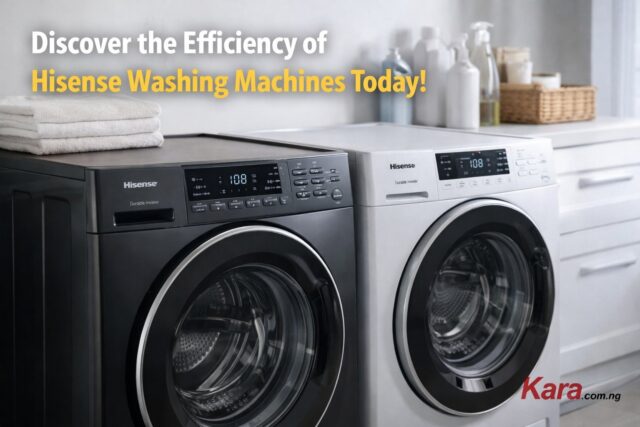
Hisense front load washing machines displayed in a modern laundry room showing efficient home laundry appliances
Modern Hisense washing machines in a clean laundry room setting highlighting efficient and reliable laundry solutions for everyday home use.

Laundry is a regular part of daily life in many Nigerian homes, but the right washing machine can make the process faster, easier, and more efficient. Hisense washing machines have become increasingly popular because they combine reliable performance, modern technology, and practical features that suit busy households. If you are planning to upgrade your laundry setup or buy your first automatic washer, understanding what Hisense offers will help you make a smarter decision.

Understanding discover the efficiency of Hisense washing machines today for Nigerian homes

Hisense washing machines are designed to simplify everyday laundry while maintaining strong cleaning performance. They combine intelligent wash programs, efficient motors, and user-friendly controls to make washing clothes less stressful.

Many Nigerian households deal with heavy laundry loads including school uniforms, office clothes, bedsheets, and traditional fabrics. A good washing machine must handle all these items without damaging them.

Hisense machines address this need through durable drums, adjustable wash programs, and smart sensors that detect load size.

This makes them ideal for families searching for best Hisense washing machines for home use in Nigeria.

You can explore available options here:
Shop Hisense washing machines on Kara

Key features in discover the efficiency of Hisense washing machines today for Nigerian homes

Hisense machines come with several practical features designed to improve washing performance.

One important feature is inverter motor technology. This motor adjusts its speed based on the load inside the drum. As a result, the machine runs quietly while consuming less electricity.

Another useful feature is the presence of multiple wash programs. These allow users to select specific settings for cotton, delicate fabrics, quick wash, or heavy-duty laundry.

Many models also include automatic sensors that detect how much water and time are required for each load.

These functions make Hisense a strong option for buyers researching key features of Hisense washing machines for efficient laundry.

Energy savings in discover the efficiency of Hisense washing machines today for Nigerian homes

Electricity consumption is a major concern in Nigeria. Washing machines that use excessive power can increase monthly electricity bills.

Hisense washing machines address this issue through energy efficient designs that minimize electricity usage during each cycle.

Smart sensors control water levels and washing time based on the weight of clothes inside the drum. This prevents unnecessary water and electricity consumption.

Some models also include eco wash settings that clean clothes using lower temperatures and shorter wash cycles.

These advantages are important for households searching for energy efficient Hisense washing machines for Nigerian households.

Comparing options in discover the efficiency of Hisense washing machines today for Nigerian homes

When buyers compare brands such as LG, Samsung, and Hisense, several factors often influence the decision.

Hisense machines generally offer competitive pricing while still delivering strong washing performance. This balance between cost and quality attracts many Nigerian buyers.

Another advantage is quiet operation. Inverter technology helps reduce vibration and noise, which is useful for homes where laundry areas are close to bedrooms or living spaces.

Below is a simple comparison that helps buyers evaluating Hisense washing machines vs other washing machine brands in Nigeria.

FeatureHisenseMany Competing Brands
Price rangeOften more affordableUsually, higher
Energy efficiencyHighHigh
Noise levelVery quiet with inverter motorModerate
User controlsSimple and clearSometimes complex

This combination of performance and value explains why many families consider affordable Hisense washing machines with advanced features in Nigeria.

You can explore available options here:
Shop Hisense washing machines on Kara

Choosing the right model in discover the efficiency of Hisense washing machines today for Nigerian homes

Selecting the right washing machine depends on your household needs.

Small households or individuals can use machines with capacities between 6 kg and 7 kg. These models are compact and suitable for regular clothing loads.

Larger families often prefer machines with 8 kg to 10 kg capacity because they handle blankets, bedsheets, and large laundry loads more easily.

Another decision involves choosing between front load and top load machines.

Front load models are known for better energy efficiency and gentler fabric care. Top load machines are easier to load and typically complete wash cycles faster.

Understanding these factors helps buyers searching for how to choose the right Hisense washing machine capacity for your home.

Read further on other Hisense Products: Top Features of Hisense Freezers: Ultimate Freezing Solutions

Maintenance tips in discover the efficiency of Hisense washing machines today for Nigerian homes

Proper maintenance helps extend the life of your washing machine.

Cleaning the drum regularly prevents detergent residue and unpleasant odours. Running an empty hot wash cycle occasionally can help maintain hygiene inside the machine.

Filters should also be checked regularly because lint and small debris can accumulate and block water flow.

Another important habit is using the correct detergent quantity. Too much detergent creates excess foam that can affect washing performance.

These simple habits are recommended for anyone learning maintenance tips for long lasting Hisense washing machines at home.

You can explore available options here:
Shop Hisense washing machines on Kara

Fixing common issues in discover the efficiency of Hisense washing machines today for Nigerian homes

Even reliable appliances can sometimes experience minor issues.

For example, if the machine does not start, check whether the door is properly closed and ensure the power connection is secure.

If water fails to drain after a wash cycle, inspect the drain hose and filter for blockages.

Another issue sometimes occurs when the drum becomes unbalanced during spinning. Redistributing clothes evenly inside the drum usually resolves the problem.

These solutions are helpful for homeowners researching common problems with Hisense washing machines and simple solutions.

Expert buying advice for Nigerian homes

Hisense washing machines provide a practical balance between efficiency, affordability, and modern features. Their inverter motors, intelligent wash programs, and energy efficient operation make them suitable for many Nigerian households.

For small families, compact models offer excellent convenience. Larger households may benefit from higher capacity machines that handle bigger laundry loads.

To compare available options and current prices, you can explore:
Browse Hisense washing machines on Kara

Final recommendation

If you are upgrading your laundry appliances, Hisense washing machines offer dependable performance without the premium price often associated with other brands.

They combine energy efficiency, quiet operation, and user-friendly controls that simplify everyday washing tasks.

For many Nigerian homes looking for reliability and value, Hisense washing machines remain a smart and practical choice.

Top 5 LG Fridge and Freezer Features You Cannot Miss

0
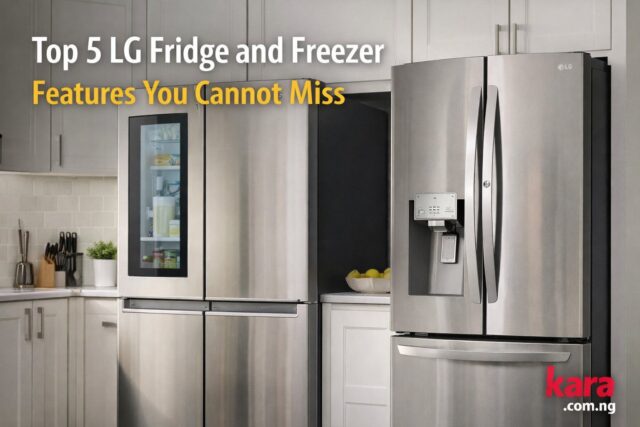
LG refrigerator and freezer in a modern kitchen highlighting key cooling and storage features for Nigerian households
Modern LG fridge and freezer models displayed in a stylish kitchen, showcasing advanced cooling technology and smart storage features.

Choosing the right refrigerator can make a big difference in how well your food stays fresh, especially in Nigerian homes where heat and power fluctuations can affect food storage. LG refrigerators have become a popular choice because they combine reliable cooling with modern technology designed for everyday convenience. From advanced cooling systems to smart storage designs, the top 5 LG fridge and freezer features you cannot miss help keep food fresher for longer, reduce energy consumption, and make kitchen organization easier for busy households.

Explore current LG Fridge and Freezer models here:

Why the Top 5 LG Fridge and Freezer Features Matter for Nigerian Homes

Refrigerators play a very important role in Nigerian homes. With the hot climate and frequent electricity challenges, a good fridge helps preserve food longer and reduce waste.

This is why many buyers search for best LG fridge and freezer features for Nigerian households before making a purchase. LG has built a strong reputation for producing reliable refrigerators with modern technology that supports everyday kitchen needs.

Whether you are storing vegetables, frozen food, drinks, or leftovers, the right fridge makes a huge difference. The top 5 LG fridge and freezer features you cannot miss are designed to improve cooling efficiency, reduce energy consumption, and make food storage easier.

Explore current LG Fridge and Freezer models here:

Advanced Cooling Technology Among the Top 5 LG Fridge and Freezer Features

One of the most important top LG fridge cooling technology features for food preservation is the Multi Air Flow cooling system.

This system distributes cold air evenly throughout the fridge. Instead of having warmer areas in certain sections, every shelf receives consistent cooling.

For Nigerian households that store fresh vegetables, meat, and dairy products, this system helps maintain freshness for longer periods.

Another impressive feature is Door Cooling Plus technology. This system directs cold air toward the door compartments where items like milk, drinks, and sauces are often stored.

Buyers researching LG fridge door cooling system benefits for Nigerian kitchens often appreciate how this feature reduces temperature fluctuations when the door is opened frequently.

Explore current LG Fridge and Freezer models here:

Smart Technology as One of the Top 5 LG Fridge and Freezer Features

Modern refrigerators now include smart features that improve convenience. One example is LG smart connectivity.

With smart control technology, users can monitor or adjust fridge settings from their smartphone. People searching smart LG fridge connectivity features for modern kitchens find this especially helpful.

Another popular innovation is the InstaView glass panel. With two quick taps on the fridge door, the glass panel lights up so you can see inside without opening the door.

This reduces cold air loss and helps maintain the internal temperature. For busy households, it also makes quick access easier.

These smart functions show how technology is becoming part of everyday kitchen appliances.

Energy Efficiency in the Top 5 LG Fridge and Freezer Features

Electricity consumption is a major concern for many Nigerian homes. This makes energy efficiency one of the most valuable energy saving LG fridge and freezer features for Nigerian homes.

LG refrigerators often use the Inverter Linear Compressor which consumes less electricity compared to conventional compressors.

The compressor adjusts cooling levels based on the temperature inside the fridge instead of turning on and off repeatedly. This reduces energy use and helps the appliance run quietly.

Buyers searching low electricity consumption LG refrigerators for Nigerian households often choose inverter models because they lower power costs while maintaining strong cooling performance.

Flexible Storage Design in the Top 5 LG Fridge and Freezer Features

Storage flexibility is another reason LG refrigerators remain popular. Many models include adjustable shelves that allow users to store items of different sizes.

This is useful when storing large cooking pots, beverage bottles, or party trays.

Buyers researching LG refrigerator storage design for large Nigerian families often appreciate features such as humidity-controlled drawers.

These drawers help preserve fruits and vegetables by maintaining the right moisture levels.

Another feature is the Door in Door compartment. It allows quick access to frequently used items without opening the main fridge door.

This design improves both convenience and energy efficiency.

Modern Design as Part of the Top 5 LG Fridge and Freezer Features

Apart from performance, many buyers also consider design. LG refrigerators are known for their sleek appearance and durable finishes.

People searching stylish LG fridge designs for modern Nigerian kitchens often find options that match different kitchen styles.

LG offers finishes such as stainless steel, matte black, and other modern colours that blend easily with kitchen cabinets and appliances.

In addition to aesthetics, LG also provides different size configurations including:

• Top freezer models
• Bottom freezer models
• Side by side refrigerators
• French door refrigerators

This allows buyers to choose a fridge that fits their kitchen space and family needs.

Explore available options here:
https://kara.com.ng/product-category/lg-refrigerators/

Quick Comparison of Key LG Fridge Features

FeatureBenefit
Multi Air Flow CoolingEven cooling across shelves
Door Cooling PlusFaster cooling for door compartments
Inverter Linear CompressorLower electricity consumption
InstaView Glass PanelView contents without opening door
Adjustable ShelvesFlexible storage for different food sizes

For buyers searching important LG fridge features before buying in Nigeria, these technologies make a noticeable difference in everyday use.

Expert Tips Before Buying an LG Fridge

Before choosing a refrigerator, consider the following factors.

First, think about your household size. Larger families may benefit from bigger refrigerators with flexible storage compartments.

Second, check power consumption. Many buyers searching how to choose energy efficient LG refrigerator in Nigeria prefer inverter compressor models.

Third, consider available kitchen space. Measure the area where the fridge will be placed to ensure a proper fit.

Finally, compare different models and features before making a final decision.

Expert Recommendation for Nigerian Buyers

LG refrigerators remain one of the most reliable choices for households that want durability and modern features.

They are particularly suitable for:

• Families that store large amounts of food
• Homes looking for energy efficient appliances
• Buyers upgrading to modern smart refrigerators
• Kitchens that require stylish appliances with strong cooling performance

For those searching best LG refrigerator models available in Nigeria, browsing verified listings can help you compare options and choose the right model.

Explore current LG Fridge and Freezer models here:

Final Thoughts

Choosing the right refrigerator can greatly improve food storage and kitchen convenience.

The top 5 LG fridge and freezer features you cannot miss show why LG appliances remain popular among many households. With advanced cooling technology, smart controls, energy efficiency, flexible storage, and modern designs, LG refrigerators provide practical solutions for everyday living.

For Nigerian buyers looking for reliability and performance, investing in a quality LG fridge can make daily kitchen tasks easier while keeping food fresh for longer.

0FansLike
0FollowersFollow
0SubscribersSubscribe

Recent Posts